Timegrapher questions

Posts
10,442
Likes
16,327
Are you sure that isn't screen brightness you are adjusting there?

The Witschi is clearly a better piece of kit but it is also about 5-10x the price so it should be!
Edited:
 
Posts
2,219
Likes
4,952
On mine, and they may all be different I'm now realising, those buttons adjust brightness when the machine is stopped after you press the red button. While it's running, they do the mic gain and so you see the different results.

The Witschi is a great piece of kit but probably 20x the price馃槜. I used the 1000 model for a few years and it's only within the last year as I changed to watchmaking that I invested in the Witschi. The cheap ones work pretty well especially at the price. Certainly the OPs watch looks to have problems but you have to be careful with the 1000 as you can get some odd results.

Cheers, Chris
 
Posts
148
Likes
80
Regarding placement of the watch, it should be with the crown against the sensor. Here is an extract of the Witschi manual. I am not showing the part where they say something along the lines of "incorrect placement maybproduce distorted results"....


Hope this helps, Chris

Clearly, opinions (and instructions) differ. The crown right approach I took from watchguyuk's youtube video. Christian is a highly regarded watchmaker in the UK. Esslinger seem to have yet a different instruction. Mine seems to read all of my watches OK so I'll stick to doing it that way.

Perhaps Witschi microphones are different ?

Edit: Well, that was slightly interesting may just have to admit your instructions are right 馃槵 Just put the watch I'm wearing (an old Certina dress watch) onto mine as it needs a regulation anyway, and tried both left and right with the crown. Timing results were identical (averaged over 1 minute) but 0 beat error one way and .2ms the other, and 5% fairly consistent difference in amplitude. Tried a second watch (explorer1) and that gives identical timings (0 DU) but higher amplitude in crown left, and zero beat error (.1ms in crown right). The crown left display is perfectly clean - crown right has a couple of wobbles). Time to change the way I do it !
Edited:
 
Posts
2,219
Likes
4,952
To be honest, I don't remember getting any instructions with my 1000 and am pretty sure at the start I used it the way you were as that seemed logical with the cut out in the sliding part.

We all learn as we go along and if Christian's video is old, he may have been still working it out. The only point here is that you're trying to get the cleanest noise to the microphone so having the crown in contact with the sensor achieves that. Most of these machines are copies of an older Witschi so, the microphones are just cheaper versions. They should all work the same.

Try playing with those buttons on the right while it's running as I'd be interested to see if you get the gain symbol on the screen like mine.

Cheers, Chris
 
Posts
148
Likes
80
To be honest, I don't remember getting any instructions with my 1000 and am pretty sure at the start I used it the way you were as that seemed logical with the cut out in the sliding part.

We all learn as we go along and if Christian's video is old, he may have been still working it out. The only point here is that you're trying to get the cleanest noise to the microphone so having the crown in contact with the sensor achieves that. Most of these machines are copies of an older Witschi so, the microphones are just cheaper versions. They should all work the same.

Try playing with those buttons on the right while it's running as I'd be interested to see if you get the gain symbol on the screen like mine.

Cheers, Chris
When it's running, the buttons increase/decrease the contrast. When stopped, they (in turn) adjust: Beat Rate : Lift Angle :Test Period :Language.
I've always assumed that the gain must be automatic - I do have one watch (another older Certina) where it's sometimes a bit flaky about picking up the beat - if you listen by ear, it has a slight metallic "ting" which I think this cheap machine has problems ignoring. Left for a while it usually will sort it out. A gain control might help there.

Testing a watch crown left in the holder certainly makes it quicker to check the Cl and CD positions too.

So best part of an afternoon checking all the others now.... Interesting that it doesn't seem to affect the timing, but does (slightly) the beat error and (a bit more) the amplitude on the ones I've checked (except for an AT 8500, on which it seems to have no effect)
 
Posts
29,672
Likes
76,830
Interesting thread so far. 馃榾

Having the crown against the fixed position of the mic stand is the standard practice - the machines that come with software and use an automatic mic stand all have this as the default position for the watch when using the programmed timing checks. Most of these machines have a gain control, and on these cheap machines it's needed as they tend to pick up a ton of external room noise. I have one of these as a back-up machine to my Witschi, and most of the time I have to lower the gain to get a decent reading. If I were to use my hand puffer at the bench while taking a reading, my screen looks like snow similar to the OP's picture, and the watch itself could be fine.

For the OP - as others have stated and has been said here many times by myself and others, unless you have proof that a watch has been serviced from the seller (in the form of paperwork that shows the watch being serviced from a known good service provider) you should assume that it will need a service when you get it. If it doesn't need a service, consider that a bonus.

Clearly your watch has a lot of issues and they didn't likely happen in transit.

Cheers, Al
 
Posts
34,269
Likes
38,889
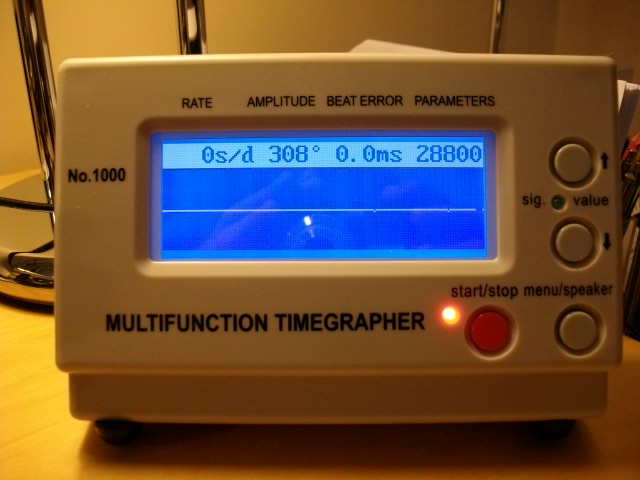
That's odd, perhaps there are different models. Just in case I'd forgotten how mine worked, I just dug it out. It appears to be a "no name" model....

When the watch is running, you can adjust the gain with the right hand arrows. Here is max gain and you see it on the upper right of the screen. The line is pretty good in this instance (it's a cal 601 I'm wearing). This watch is fine.


Here I've reduced the gain using the buttons (I think you're right that the auto gain works in most situations and is probably in the middle of the scale). Now the line is hopeless and the watch appears to have some issues.


And here on the Witschi which is a lot easier to read. I know people will read into this that the cheap ones are accurate within a few degrees of amplitude and a few seconds per day - but my sample size is 1 馃榿 The Witschi obviously has a calibration document and needs refreshing on a fairly regular basis.

Regards, Chris
These generic no name timers have 5 distinct models in their range and can be bought as low as $30/unit in bulk off alibaba in China. People get them there, slap some branding on them in some cases then charge 150-300 for them
 
Posts
2,446
Likes
7,040
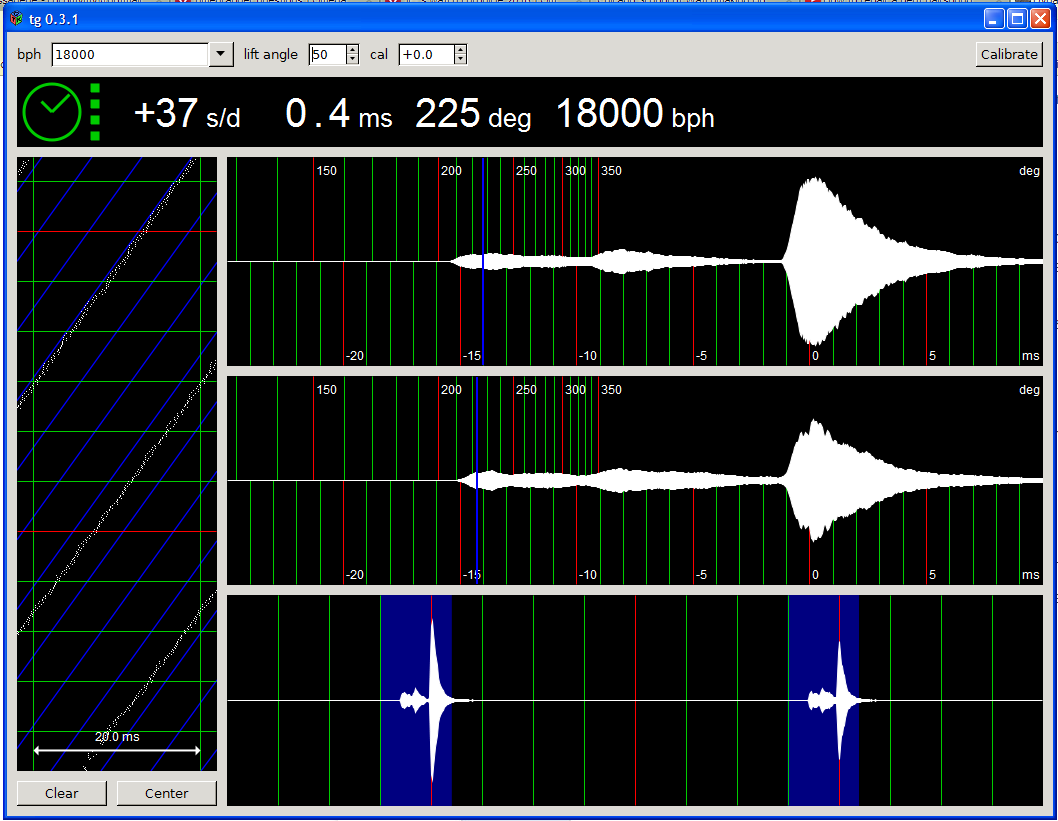
I use this dandy open source software with computer and microphone for timing measurements. It works very well to measure rate, beat error, amplitude and has a chronoscope display to assist in troubleshooting watch issues.

Old Elgin Pocket watch
 
Posts
2,219
Likes
4,952
When it's running, the buttons increase/decrease the contrast. When stopped, they (in turn) adjust: Beat Rate : Lift Angle :Test Period :Language.
I've always assumed that the gain must be automatic - I do have one watch (another older Certina) where it's sometimes a bit flaky about picking up the beat - if you listen by ear, it has a slight metallic "ting" which I think this cheap machine has problems ignoring. Left for a while it usually will sort it out. A gain control might help there.

Testing a watch crown left in the holder certainly makes it quicker to check the Cl and CD positions too.

So best part of an afternoon checking all the others now.... Interesting that it doesn't seem to affect the timing, but does (slightly) the beat error and (a bit more) the amplitude on the ones I've checked (except for an AT 8500, on which it seems to have no effect)

Interesting, there must be some slightly different models if you never see the gain "signal strength" icon like on mine. As Al says, the variable gain is useful so a pity yours doesn't have it.

That scope function on the open source software looks interesting as well. That can be useful for detecting some faults.

Cheers, Chris
 
Posts
626
Likes
846
Surprisingly, the watch managed to keep time pretty accurately with less than a minute lost over 24 hours. Nevertheless, I agree with the rest of you that it was probably not overhauled.

Just another quick question, how clean can a movement get if it's fully overhauled? Sparkling?

Will it look almost new?
 
Posts
29,672
Likes
76,830
Not unusual for positional errors to balance out and even a watch in rough shape can keep time pretty well.

The movement isn't going to look new if the plating is damaged and flaking off. It will be clean, but not necessarily look new.
 
Posts
148
Likes
80
Interesting, there must be some slightly different models if you never see the gain "signal strength" icon like on mine. As Al says, the variable gain is useful so a pity yours doesn't have it.

That scope function on the open source software looks interesting as well. That can be useful for detecting some faults.

Cheers, Chris
Mine looks the same as yours...until you switch it on !

Then it looks like this:-


The top right corner alternates between beat rate and lift angle.

Manual gain control isn't needed on these versions - the AGC handles it very well automatically. Hardly ever have extraneous noises having any effect - I've even banged the desk before by accident, and it didn't register. (and I have a cold - just took that picture a few minutes ago, with a couple of coughs in the middle for good measure 馃檨) Watch is an inexpensive Atlantic Worldmaster with a standard grade ETA 2801-2 movement- great watch - virtually no positional variance, only downside is that it doesn't hack 馃憥

I downloaded some PC software a while ago - just out of interest, but haven't yet got around to fixing up a suitable microphone. The one I got is called tg.exe. I assume that one task before using it is the need to calibrate the PC's clock, which are notoriously poor, and are probably going to be the weak link in PC based timers.

A question for Archer, if I may ?

Apart from one that's a bit overdue for a service, all my modern watches with swiss lever movements, give a nice "clean" trace on my version of the timegrapher. Co-axials don't look quite so clean though. Is this likely to be an artifact of my cheap machine, is it perhaps a characteristic of those movements, or just the luck of the draw with the ones I have ? I've checked a 2403 and an 8500. The 2403 recently (and professionally) serviced, and the 8500 fairly new and little worn. Timekeeping on both is good and within standards - it's just what the trace looks like.
 
Posts
2,219
Likes
4,952
Mine looks exactly the same and alternates in the same way as yours in the top right between beat rate and lift angle, except that when the trace is working it's way across (not stopped) pressing those right hand buttons brings up the signal strength. When stopped, those buttons do the contrast. Ah well, if it's working for you, then it's all good.

Cheers, Chris
 
Posts
10,442
Likes
16,327
Mine looks exactly the same and alternates in the same way as yours in the top right between beat rate and lift angle, except that when the trace is working it's way across (not stopped) pressing those right hand buttons brings up the signal strength. When stopped, those buttons do the contrast. Ah well, if it's working for you, then it's all good.

Cheers, Chris
When I return from rugby tour I'm will check mine out as what you say makes sense and it may just be that I have never noticed that the gain can be altered.
 
Posts
148
Likes
80
Mine looks exactly the same and alternates in the same way as yours in the top right between beat rate and lift angle, except that when the trace is working it's way across (not stopped) pressing those right hand buttons brings up the signal strength. When stopped, those buttons do the contrast. Ah well, if it's working for you, then it's all good.

Cheers, Chris
This version changes only the contrast both when stopped and running. There is no manual gain control and no gain display.
You'll see that the main display is a bit different too. Yours seems to show the current daily rate at various points along the plot ? Mine just shows a single rate display - either instantaneous or average over "x" seconds, depending on how you have the parameters set.
I guess it's the luck of the draw on what version you get, even if they look identical; but at a tiny percentage of the price of professional devices, it's hard to complain anyway.
 
Posts
2,219
Likes
4,952
Good point, they are different as mine has those intermediate values... In my defence, I haven't used it in a long time 馃槜 until today...
 
Posts
626
Likes
846
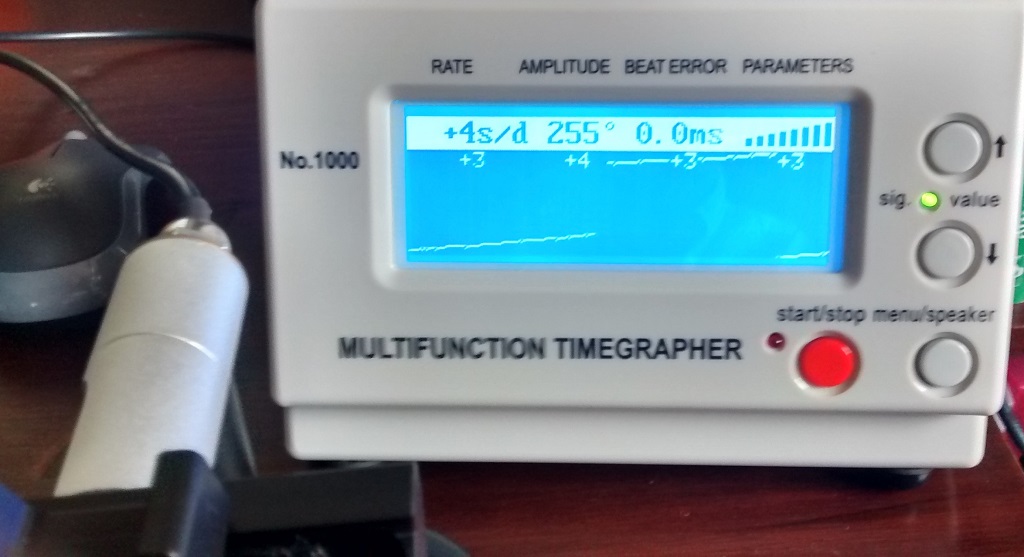
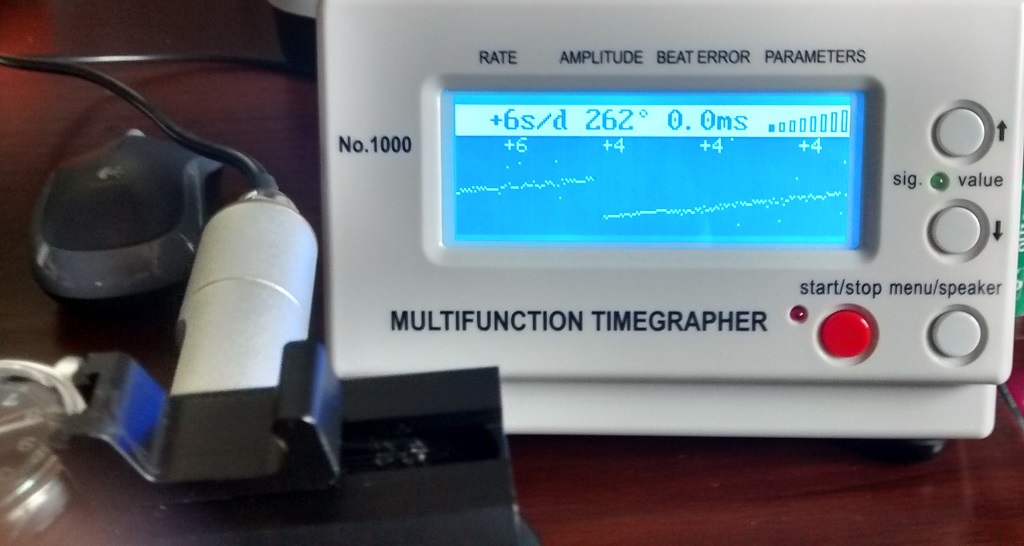
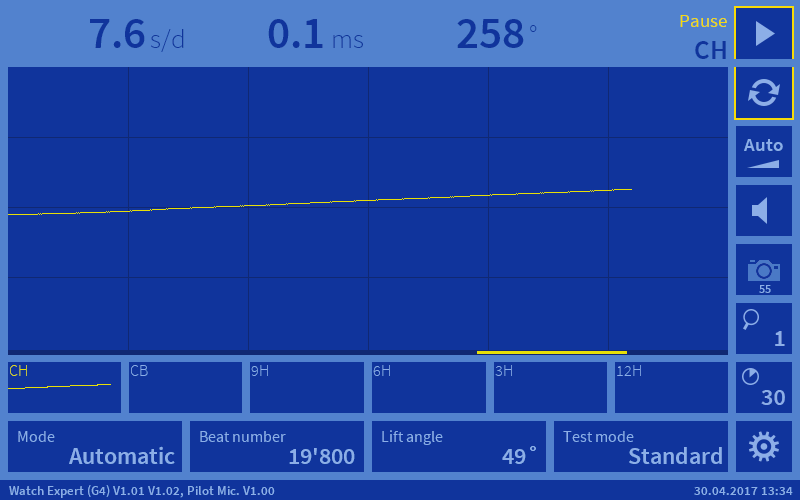
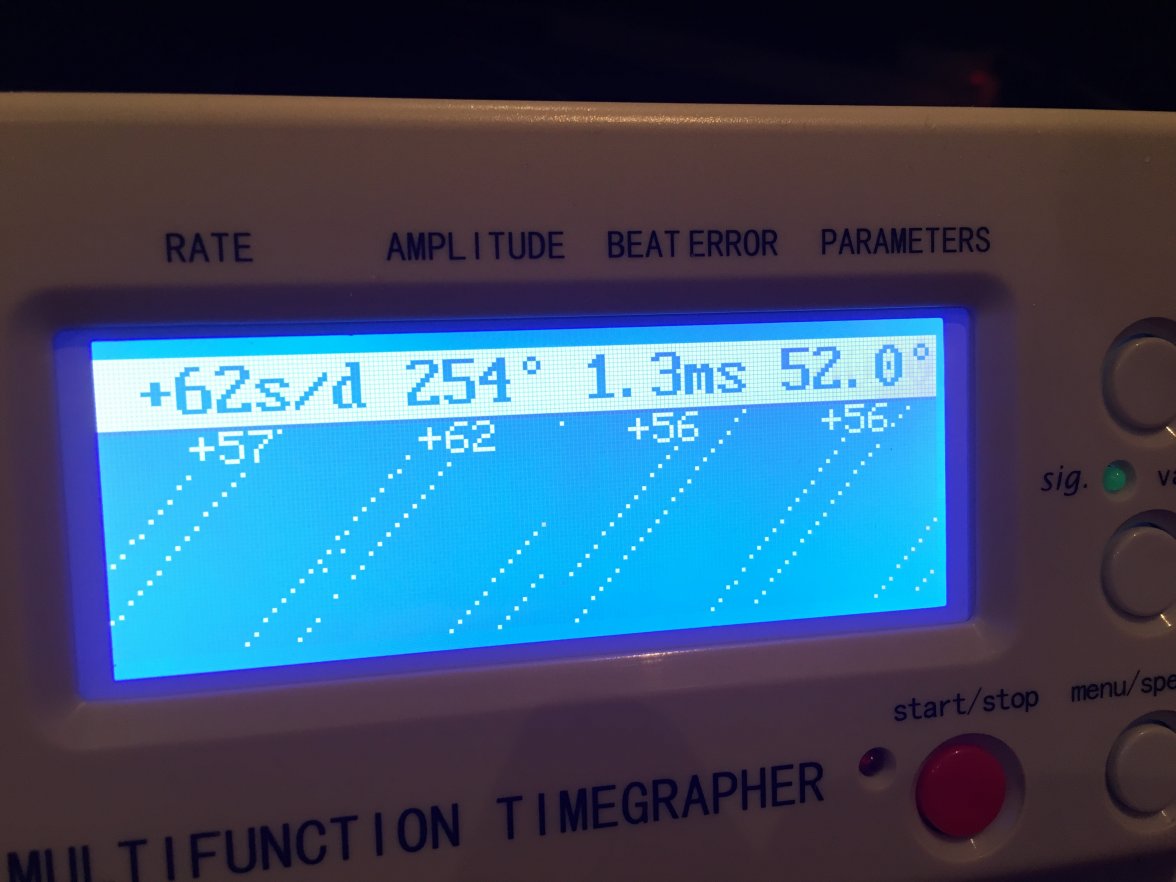
Don't hate me but I didn't fully wind the watch when I placed it on... hahah. Does this look any better?
 
Posts
10,442
Likes
16,327
Still needs a service but the amplitude is a lot better. Anything near 300 is healthy.
 
Posts
1,531
Likes
1,088
Much better!

Is it at full wind this time?
The amplitude could be a little low, but as you did not set the correct lift angle, we can only speculate. The beat error is too big, but it is not terrible and you have decent lines.
The rate does not look very good, but to be sure we would need a measure over at least 3 positions.
 
Posts
626
Likes
846
Much better!

Is it at full wind this time?
The amplitude could be a little low, but as you did not set the correct lift angle, we can only speculate. The beat error is too big, but it is not terrible and you have decent lines.
The rate does not look very good, but to be sure we would need a measure over at least 3 positions.

Someone mentioned is a Venus 170 but I can't find the lift angle for it. The only data available is for 188

If the rate is fast, could that mean that it isn't regulated properly? I'm just trying to establish if the watch could have been serviced before contacting the dealer.