How do you keep track of your collection?

Posts
257
Likes
997
I'm sure many of you have, like me, a motley collection of scribbles, notes and excel spreadsheets documenting some of your watch collection.

But I'm also sure that there are those of you more technical, diligent and patient than I who have put some effort into a system for cataloging their pieces.

I'm keen to better document the basic info on my own small collection, mainly to keep tally on what I have bought, when, from who, how much etc. along with some pictures and key paperwork.

So if you have a tool, application or homebrew system that works for you then I'd like to hear.

Many thanks in advance!

 
Posts
3,065
Likes
19,410
I use a Notion “database” which is basically a spreadsheet on steroids. It looks like a spreadsheet but you can open each item and save pictures, comments, etc. If you have paper documents you could scan them and save the pictures on the item. It’s pretty nifty. If I wasn’t using Notion I’d probably just go with a spreadsheet.

https://www.notion.so/
 
Posts
2,781
Likes
4,693
I don’t keep track of it……..much less buggerising about and with the added bonus of being totally unaware and blissfully ignorant of how much they cost me!
 
Posts
258
Likes
375
I use the Notes app on my iPhone to enter (and update) specific information. Example:
Note Titled: Watch Info
Omega Speedmaster Mark 40
Purchased: 11/22, eBay
Ref. 3513.53
39mm
Caliber 1152 (7750)
Power Reserve: 44 hrs
Lift angle: 49 (50 per Omega)
18 mm lug width
WR: 50 Meters/164 feet
Bracelet 1562/850
 
Posts
543
Likes
694
I use the Notes app on my iPhone to enter (and update) specific information. Example:
Note Titled: Watch Info
Omega Speedmaster Mark 40
Purchased: 11/22, eBay
Ref. 3513.53
39mm
Caliber 1152 (7750)
Power Reserve: 44 hrs
Lift angle: 49 (50 per Omega)
18 mm lug width
WR: 50 Meters/164 feet
Bracelet 1562/850
I do something similar to the above also in Apple Notes:

Model name, reference number
Year released: MSRP
Year purchased: purchase price
Current year: MSRP
Case dimensions
Caliber (base caliber), # jewels, beat rate, power reserve (automatic or manual)
Water resistance
 
Posts
2,979
Likes
8,732
I got 7 watches; 2 omegas, 2 Citizens, 2 Lorus and 1 Vostok so I really don`t need a system. But I have the serial numbers for the Omegas written down somewhere in case they should disappear for some reason.
 
Posts
219
Likes
209
I have a draft e-mail where I put the info on any watch I get. I should use something more elegant, but it has worked for me lol
 
Posts
3,196
Likes
33,329
I feel that having something electronic will be forgotten if I leave this place suddenly and unexpectedly.

So I made pouches and sleeves for my watches. Each watch sleeve contains an index card with information about the watch.

So… find the watch, look at the index card. Simple and failsafe and no passwords required.
 
Posts
6,190
Likes
21,193
I have a binder with clear plastic sleeves that hold 8x10 paper.

The front sleeve is a list with each watch name, reference, purchase date, purchase price, service date, service price, and fair market value.

Next are the sleeves for each individual watch. The cover sheet is an insurance appraisal. This has a photo of the watch, a description and a value. Behind this document are any original sales documents and service invoices. If a watch has an extract it can go here. This is handy in case I sell a watch too.

The main purpose for this is for my family to sell the watches if I still have them when I die. They wouldn't know a Speedmaster from a Speedmaster. The insurance pictures help them match each watch. The FMV at the front keeps them grounded to not get too excited by the insurance value. That has been updated more frequently lately.

I need to add information on which watches have accessories like boxes.
 
Posts
257
Likes
997
I use a Notion “database” which is basically a spreadsheet on steroids. It looks like a spreadsheet but you can open each item and save pictures, comments, etc. If you have paper documents you could scan them and save the pictures on the item. It’s pretty nifty. If I wasn’t using Notion I’d probably just go with a spreadsheet.

https://www.notion.so/
I'm not familiar with Notion - it looks pretty powerful and something of a business ops-collab-everything app. Were you familiar with it before adapting to the rather narrow requirements of a watch collection - or it it easier to use than it looks?
 
Posts
16,863
Likes
47,901
I don’t really, most is in a PM or somewhere. I

I was buying several a month in the heyday of 2012 to 2017. Came back from a month away from work to 6-7 watches once.
Remember I received 2 watches one day and opened them both. One was more intriguing than the other so it was looked at and the other ended up on a placemat pile still in the package and placed in the draw by Mrs STANDY. (Where it slid to the back once placemats were pulled out.)
Several years later it was a nice surprise to find a watch not even taken fully out of the package previously. 😉
 
Posts
543
Likes
694
I do something similar to the above also in Apple Notes:

Model name, reference number
Year released: MSRP
Year purchased: purchase price
Current year: MSRP
Case dimensions
Caliber (base caliber), # jewels, beat rate, power reserve (automatic or manual)
Water resistance
I forgot to mention, I also entered my collection into Chrono24, WatchCharts, and Enquirus at one point to see how I like them, and since it's not much work (I have ~8 watches), I also keep updating them there upon new additions/deletions.
 
Posts
257
Likes
997
I feel that having something electronic will be forgotten if I leave this place suddenly and unexpectedly.

So I made pouches and sleeves for my watches. Each watch sleeve contains an index card with information about the watch.

So… find the watch, look at the index card. Simple and failsafe and no passwords required.

I like the foolproof simplicity of the standard index card especially when paired with the handcrafted leather accessories...
 
Posts
6,649
Likes
52,273
I have a simple inventory list. Basic description including optional serial number if I have opportunity to know it, however I do not number the entries nor do I retain purchase prices for I don’t want to know.
 
Posts
103
Likes
374
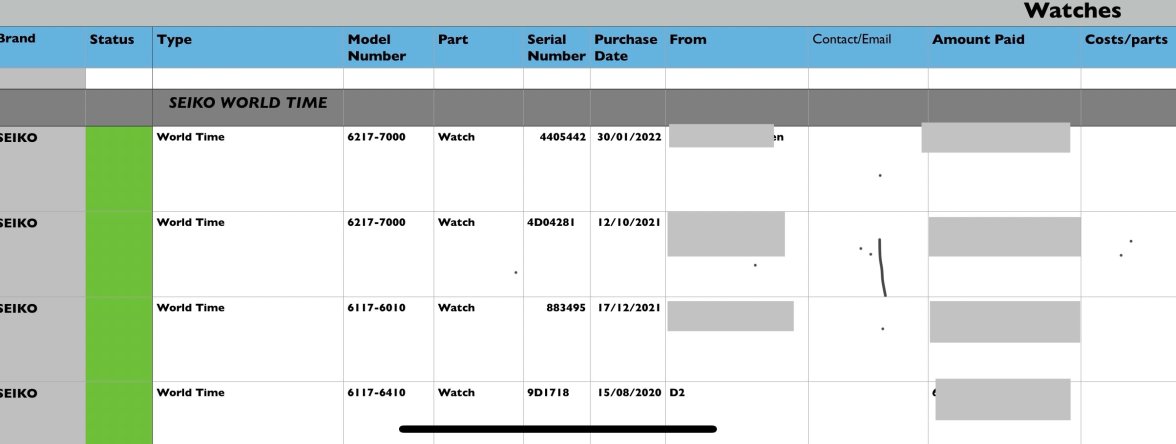
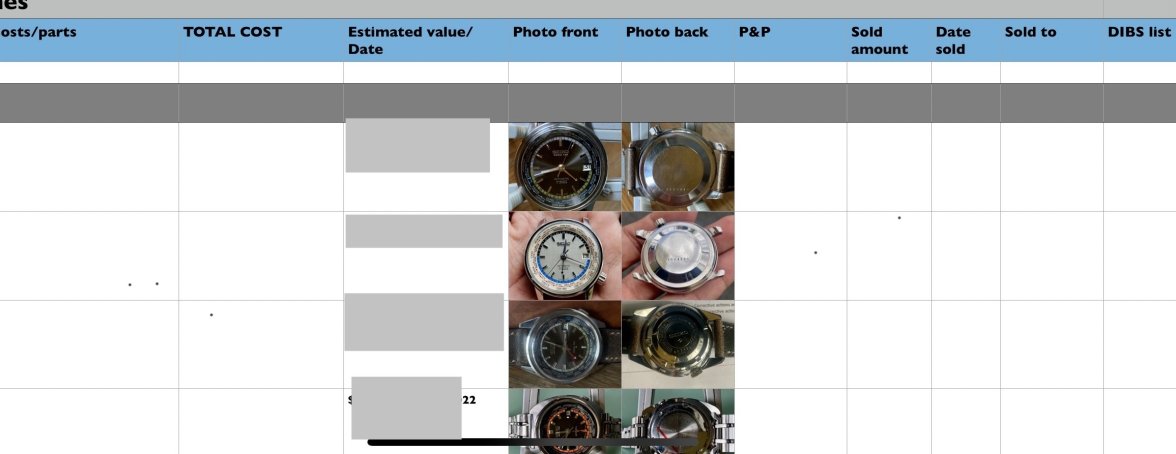
I use an Excel spreadsheet with about a dozen columns for all the details (make, model, dimensions, etc.) and have inserted pics for a number of vintage models.
 
Posts
3,065
Likes
19,410
I'm not familiar with Notion - it looks pretty powerful and something of a business ops-collab-everything app. Were you familiar with it before adapting to the rather narrow requirements of a watch collection - or it it easier to use than it looks?
Yes, I was familiar with Notion before using it to track my watch info. I decided to give it a shot for a few different things including the watches but I have to admit I don’t use it very often now. I find it very easy to use. I also use it to organize my watch research for references I’m hunting. For example, I organized a lot of information pulled from these forums about C-case Constellations when I went down that rabbit hole. It’s also nice with the mobile app I can add notes/pictures etc. directly from my phone and pull up my info from anywhere.

To other’s points, if I kick the bucket it’s all useless and nobody will ever see it. It’s really just a fun way for me to keep track. I only have 18 watches but after about 12 I wanted a way to track costs, service dates, etc.
 
Posts
3,951
Likes
11,027
I have a ledger. There is also a note with each watch that corresponds to the ledger.