Timegraphers: watch enthusiast, non-watchmaker -- suggestions please?

Posts
80
Likes
63
Dear All:

I have been curious to buy a timegrapher for a while. As a non-watchmaker, I only have limited uses for this, but would be nice to be able to test and graph on my PC the results, if the timegrapher allows exporting of data.

I looked at the Weishi 1000, then discovered there is a Model 1900, then there is a Model 3000, and then, i stumbled upon their Model 9000. Yikes. None of these are particularly widely sold except the Model 1000 and 1900, which are the two most economical models.

even after googling it for a while, i can't tell if these are able to export CSV data to a PC! may i please ask how one might export data from these timegraphers to a PC so one may graph the results please?

Would a Weishi one be good enough and satisfactory in usage, or, would one really need to buy a Witschi for the results to be consistent and accurate?

Thank you all in advance. Look forward to some pointers.

 
Posts
2,443
Likes
4,232
The Weishi is accurate and consistent in my experience. It doesn't have data export capability. Most amateurs (like me) use it to adjust beat error and timing. Great little machine for the money.
 
Posts
1,650
Likes
5,222
I am using a T.g. Timegrapher software, its an opensource. I havent try to export the data, but my Intuition says it should be possible.
I made myself a cheap setup, it surely is not as acurate as a proper Timegrapher, but i find the results to be very usable.
If you need more information on the setup i can provide it later.
 
Posts
346
Likes
288
I use a phone app. Works for my purpose of periodically checking accuracy to see when a service is due.
 
Posts
2,446
Likes
7,040
I use Tg, like @Eve. More than adequate for my purpose. There is a calibration procedure if ever you want best accuracy for rate.

Link.
 
Posts
2,675
Likes
7,487
I bought a Weishi No3000 about a year ago for around $300 USD.

I got it purely out of curiousity and a desire to generate some simple data.
- I fully recognize that such a device can open up a highly critical person to information that could 'ruin' a nice watch if the results aren't within perfect standards.
- I also have a solid understanding of variation and measurement (in)accuracy as I've spent 2 decades in automotive testing and manufacturing.


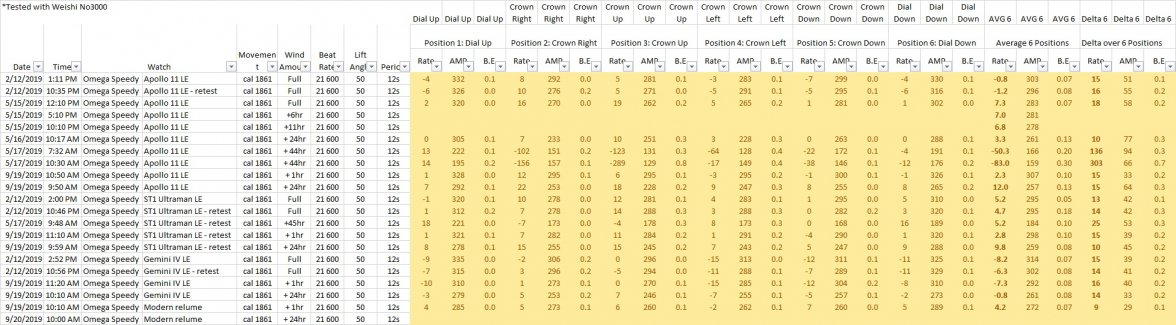
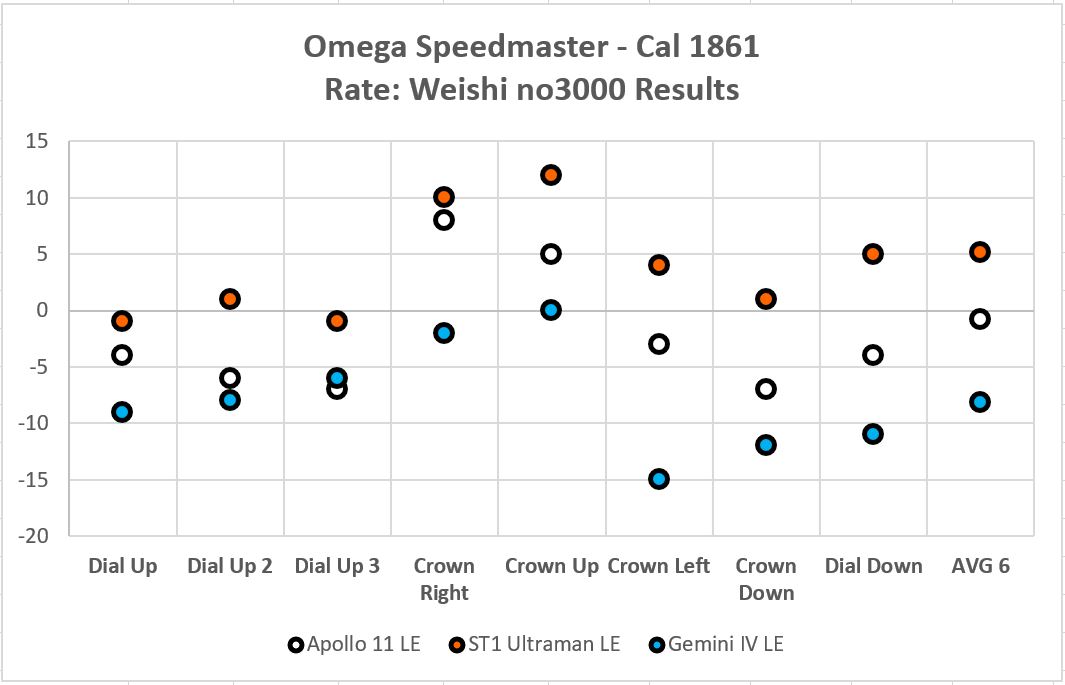
I tested my Speedmasters and recorded values into an Excel spreadsheet so I could graph and compare.
- I was very careful to avoid background noise, so I did all testing in my office avoiding any readings where special noise occurred
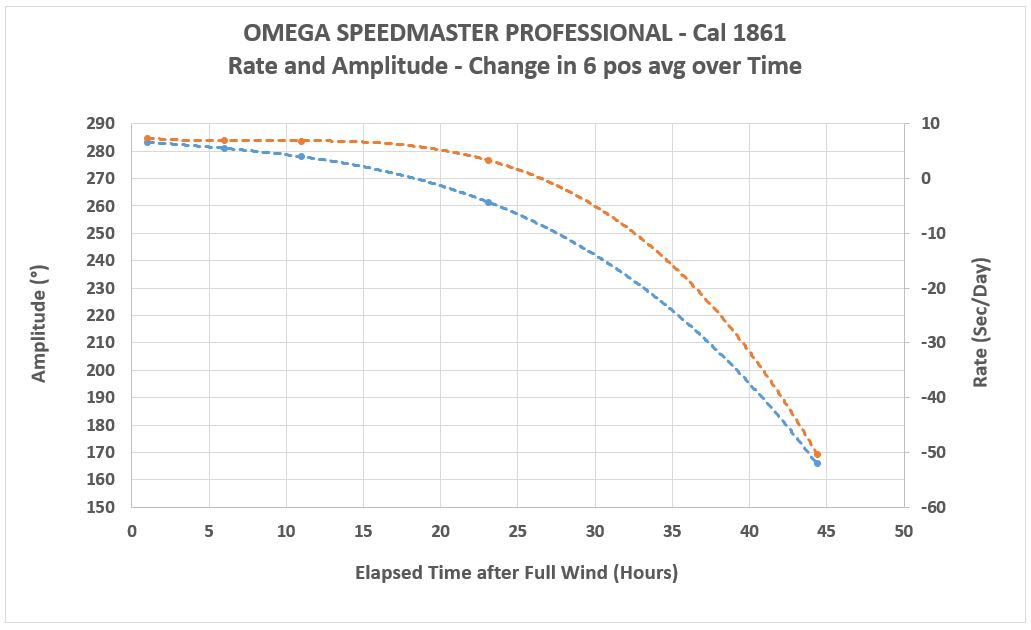
- I learned that the Omega standard is to wind the watch fully, then wait 1 hour for the movement to "settle" before testing
- I knew to test at full wind (after 1 hour) and also after 24 hours

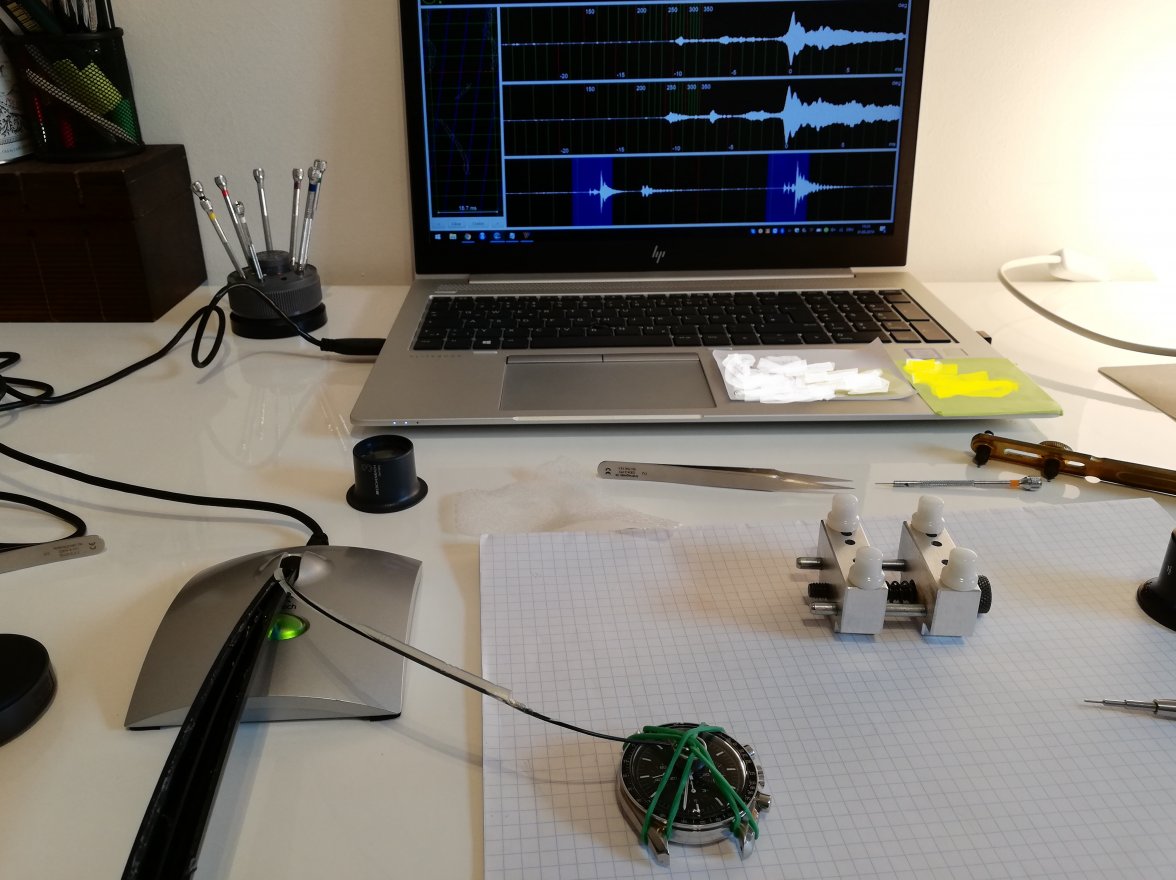
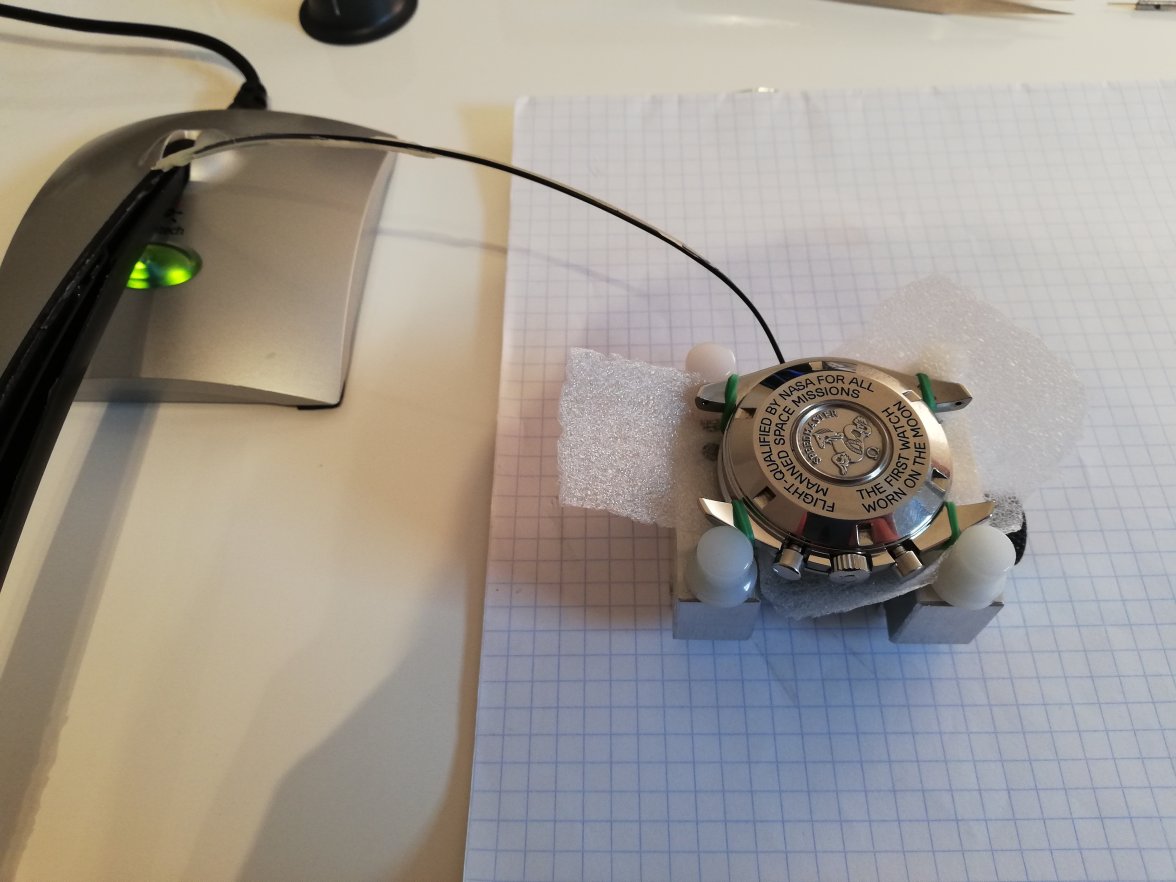
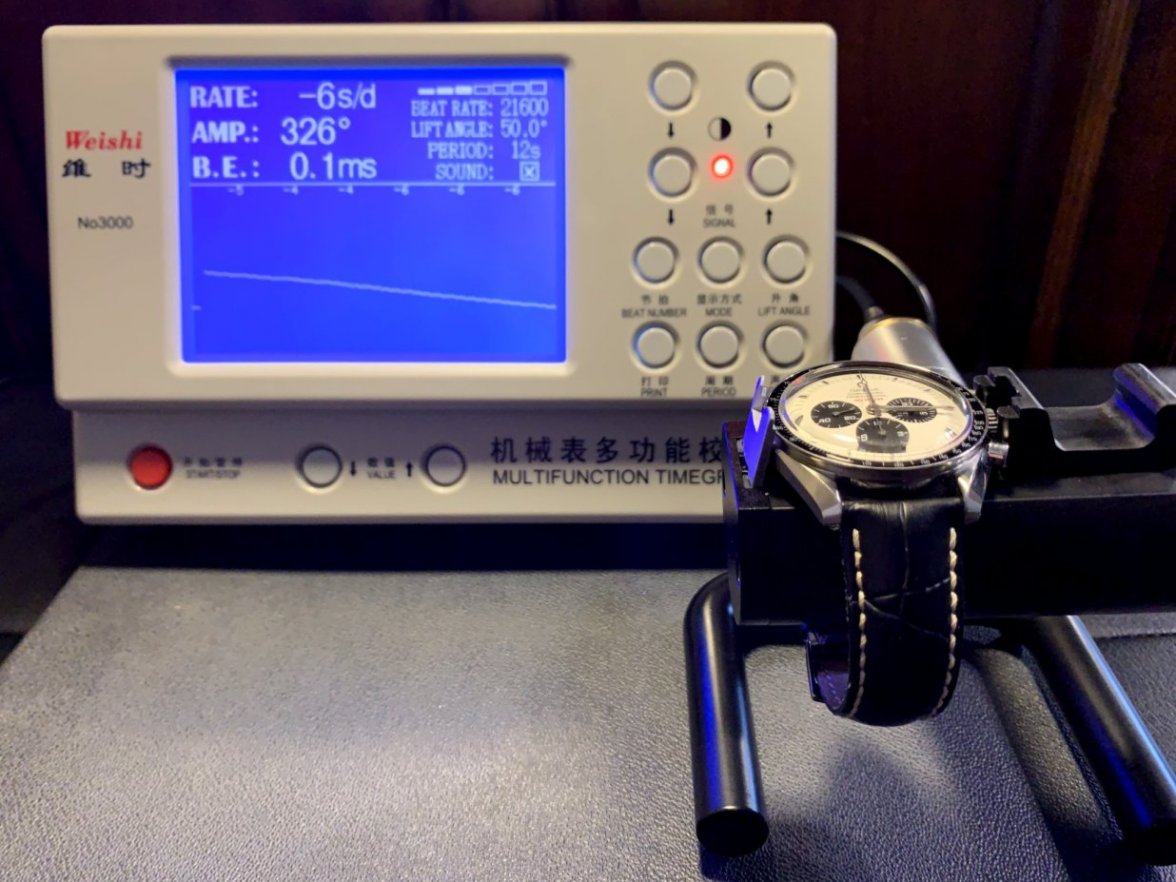
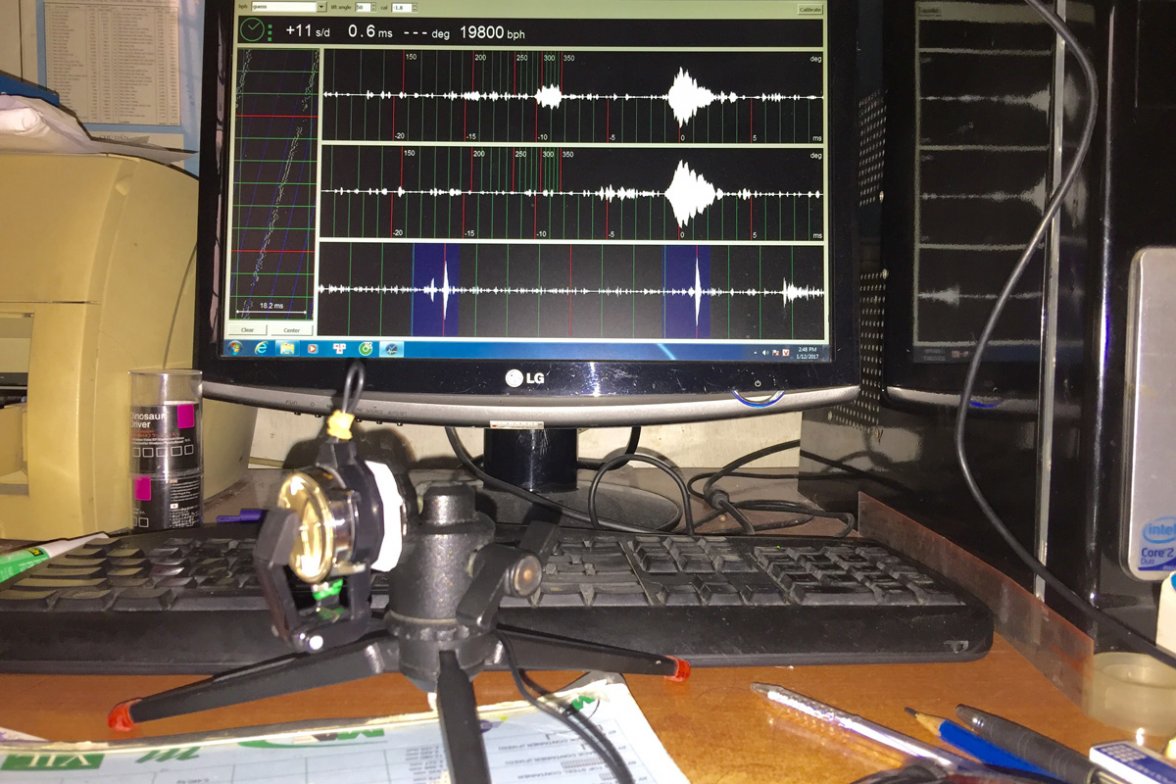
My setup looks like this:


My Excel table looks like this:


My Excel graph for timing results in 6 positions looks like this:


My Excel graph for timing results over 48 hours (why Omega recommends a full wind every 24 hours):
 
Posts
411
Likes
626
I use Tg, like @Eve. More than adequate for my purpose. There is a calibration procedure if ever you want best accuracy for rate.

Link.
TG is an open source software. I have tried it for a while and to me TG is so so regarding accuracy, especially very prone to the way you fix the microphone (better with piezzo ones).

Sorry for hijakcking this thread to OP.
@Deafboy could you elaborate on your setup and calibration. Tks in advance
 
Posts
2,446
Likes
7,040
@Deafboy could you elaborate on your setup and calibration. Tks in advance

Gladly.
It's very homebrew for sure but it works well for me.
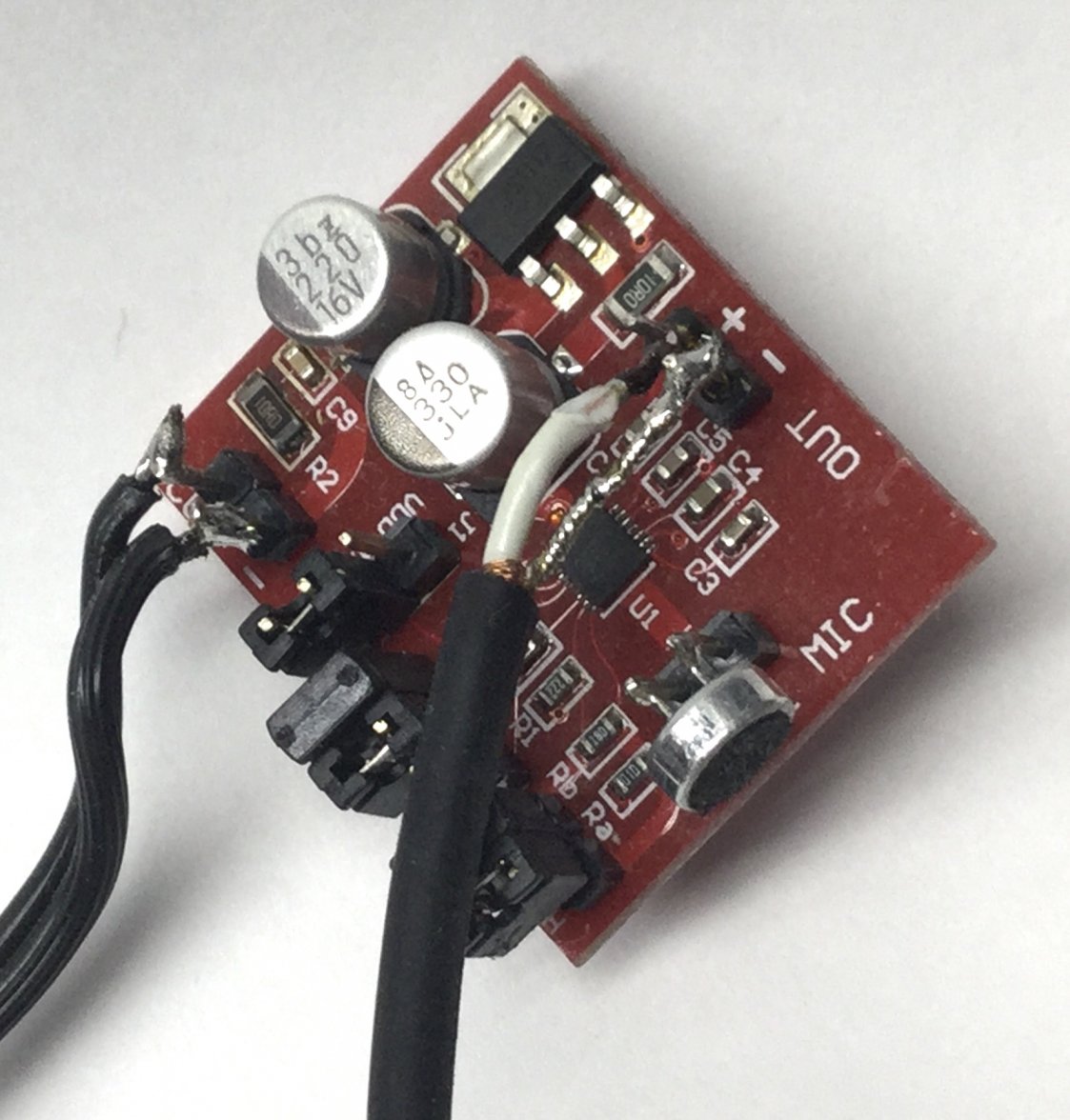
The microphone is a Panasonic capsule mounted on a off-the-shelf microphone amplifier pcb.
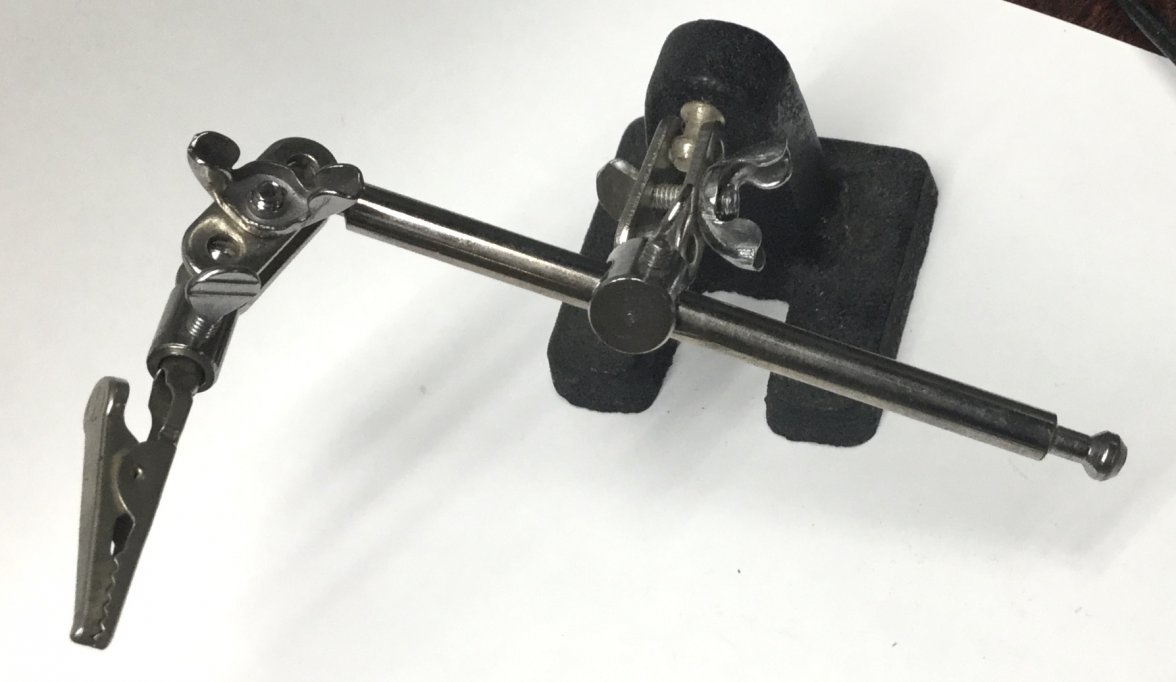
I use an alligator clip third hand to hold it close the the movement.
For calibration, I haven't tried the proposed method for the software. I instead use a 1 pulse per second signal from a GPS receiver I have setup for another experiment of mine. For example, with my current computer/sound card the calibration offset is 2.4 seconds.

To be fair, the software is also installed on my laptop. Using the laptop's built-in microphone the results are just as good as long the watch is loud enough to be picked up by the microphone/software.

I find the rate and beat error measurements are very good using this software. The graphical displays are very useful to diagnose issues with movements. The amplitude accuracy depends directly on the setting the proper lift angle in the software. Also, sometimes the software uses the wrong acoustic peak to determine amplitude and will flip back and forth between accurate value to erroneous value of amplitude. Viewing the acoustic profile assists to determine which measurement is the correct.

 
Posts
411
Likes
626
Gladly.
It's very homebrew for sure but it works well for me.
The microphone is a Panasonic capsule mounted on a off-the-shelf microphone amplifier pcb.
I use an alligator clip third hand to hold it close the the movement.
For calibration, I haven't tried the proposed method for the software. I instead use a 1 pulse per second signal from a GPS receiver I have setup for another experiment of mine. For example, with my current computer/sound card the calibration offset is 2.4 seconds.

To be fair, the software is also installed on my laptop. Using the laptop's built-in microphone the results are just as good as long the watch is loud enough to be picked up by the microphone/software.

I find the rate and beat error measurements are very good using this software. The graphical displays are very useful to diagnose issues with movements. The amplitude accuracy depends directly on the setting the proper lift angle in the software. Also, sometimes the software uses the wrong acoustic peak to determine amplitude and will flip back and forth between accurate value to erroneous value of amplitude. Viewing the acoustic profile assists to determine which measurement is the correct.

Hi @Deafboy
Could you tell whether your Panasonic microphone is of electro magnetic or piezzo type.
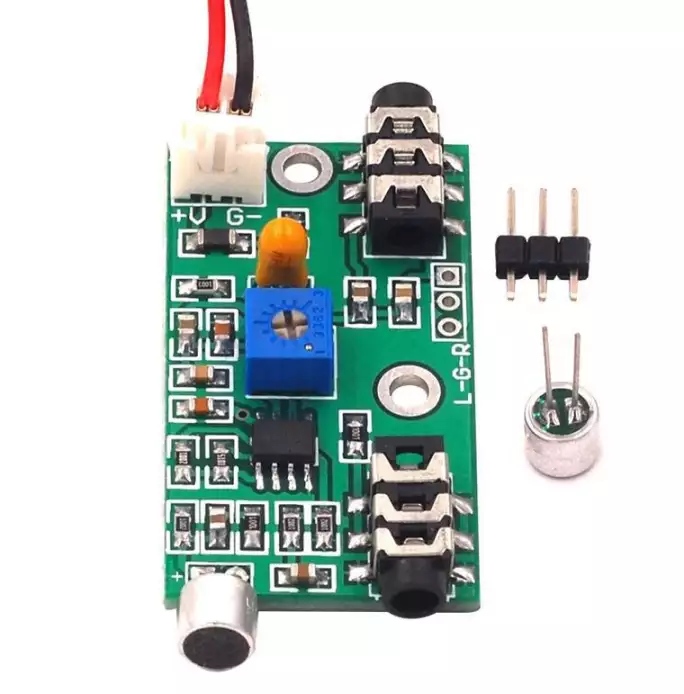
I am able to source an amplifier pcb for cheap (6 US$) and a piezzo mic for guitar (the one on above pic).
Finally how please did you connect the ampli to PC soundcard.
Tks
Have a nice weekend
PS: Agreed about apparently excessiveness of TG response to audio signals from microphone (or its due to software algorithm? I am not IT guy sorry )
Edited:
 
Posts
2,675
Likes
7,487
Gladly.
It's very homebrew for sure but it works well for me.
That's some master-class level MacGyver sh*t right there!!!

Nice!
 
Posts
2,446
Likes
7,040
I'm not sure which amplifier you are proposing but is mine is based on the MAX9814 device. Here's one on eBay.
Could you tell whether your Panasonic microphone is of electro magnetic or piezzo type.
Neither, they are called electret. It appears Panasonic doesn't provide these anymore but other brands can be found, such as here.
The circuit needs electrical power to operate - between 3 and 12 volts for the one I used. The current is really quite low so any decent power supply with this voltage should work ok.
The audio output of the circuit is connected to the sound input of the computer sound card using an audio cable. The sound card of the computer may look a bit like this:

5ab29dce05e8a4b94fb45267268bc3a6.jpg

I suggest you try the line input first and see if the TG software is operating well. The microphone input of the sound provides more gain and may be too much.
 
This website may earn commission from Ebay sales.