New Member, How to post in vintage forum

Posts
6
Likes
1
Hello all,

Im a new member here that just purchased a vintage seamaster 200m. How do I post in the vintage forum?

Thank you!

 
Posts
323
Likes
1,133
Hi there and welcome to the forum,

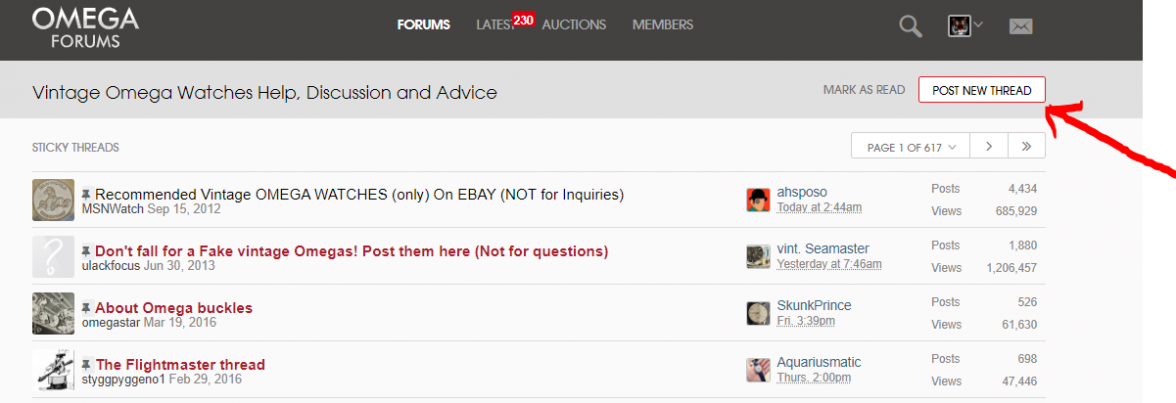
Just navigate to the Vintage section of the forums "Vintage Omega Watches Help, Discussions and advice" and then click on "Post New Thread in the top right of the page, here :


Just remember when posting to introduce yourself like you have here and include some pictures of your new vintage SM200 when asking for advice.

Best wishes,
Dave
 
Posts
16,863
Likes
47,901
Hi there and welcome to the forum,

Just navigate to the Vintage section of the forums "Vintage Omega Watches Help, Discussions and advice" and then click on "Post New Thread in the top right of the page, here :


Just remember when posting to introduce yourself like you have here and include some pictures of your new vintage SM200 when asking for advice.

Best wishes,
Dave


Look at you helping newbies now 👍👍

And for you @DJG2645

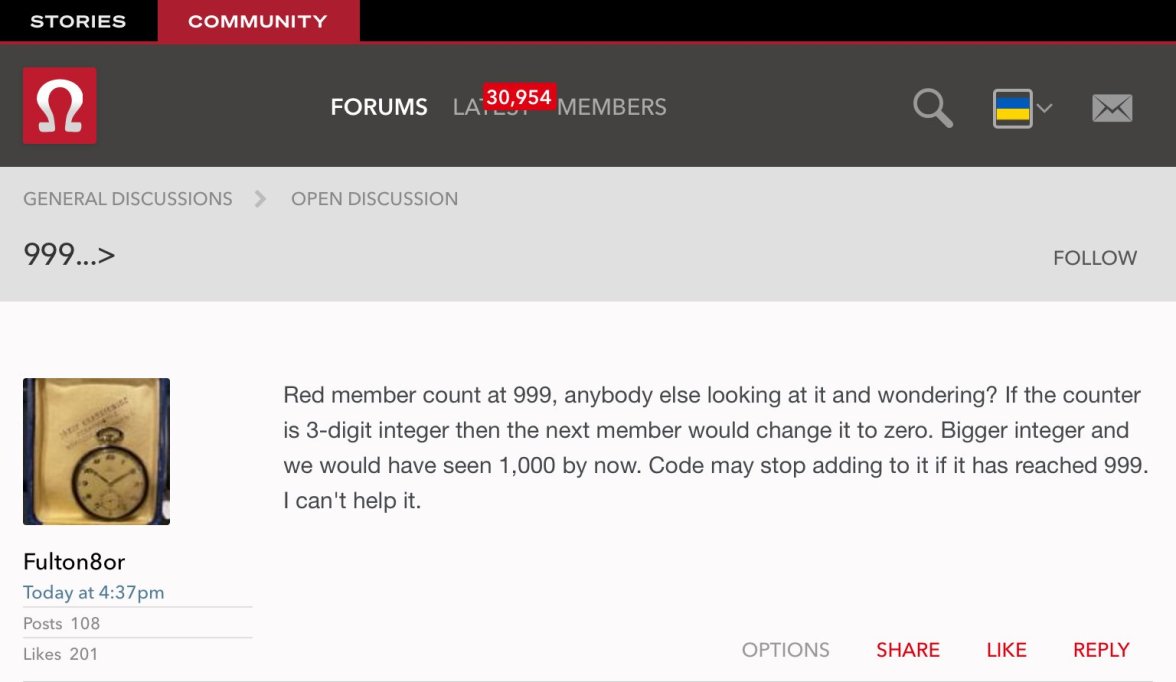
if you click LATEST withe the red box and a number. Then hit ALERTS underneath it will tell you what those 230 alerts are. ( pretty much if someone has replied to one of your comments/questions or tagged you. 😁
 
Posts
6
Likes
1
Thanks DJG2645! I guess I had to post here first because it said I didn't have authority to post in vintage. The "post new thread" box now appears for me. Appreciate the help!
 
Posts
323
Likes
1,133
Look at you helping newbies now 👍👍

@STANDY you know me, always learning 😁 thought I would get all brave and help a fellow newbie out 👍

And for you @DJG2645

if you click LATEST withe the red box and a number. Then hit ALERTS underneath it will tell you what those 230 alerts are. ( pretty much if someone has replied to one of your comments/questions or tagged you. 😁

Oh nice, I will get right on my ALERTS admin, 230 wowsa! 😀
 
Posts
2
Likes
0
Hello all,

Im a new member here that just purchased a vintage seamaster 200m. How do I post in the vintage forum?

Thank you!
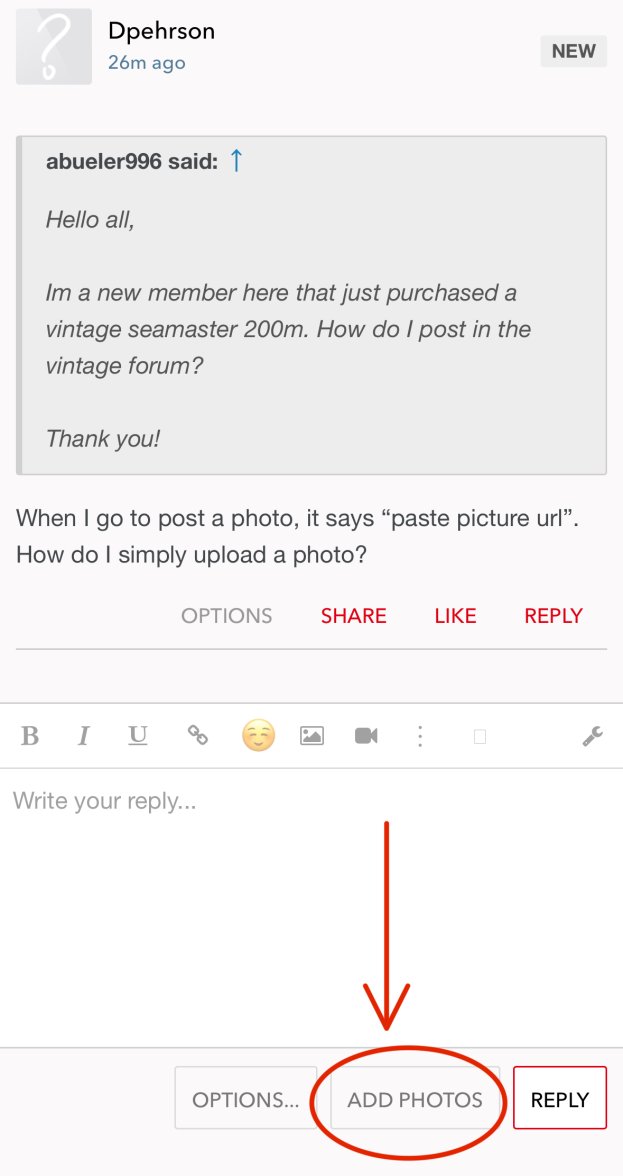
When I go to post a photo, it says “paste picture url”. How do I simply upload a photo?
 
Posts
6,598
Likes
26,722
When I go to post a photo, it says “paste picture url”. How do I simply upload a photo?
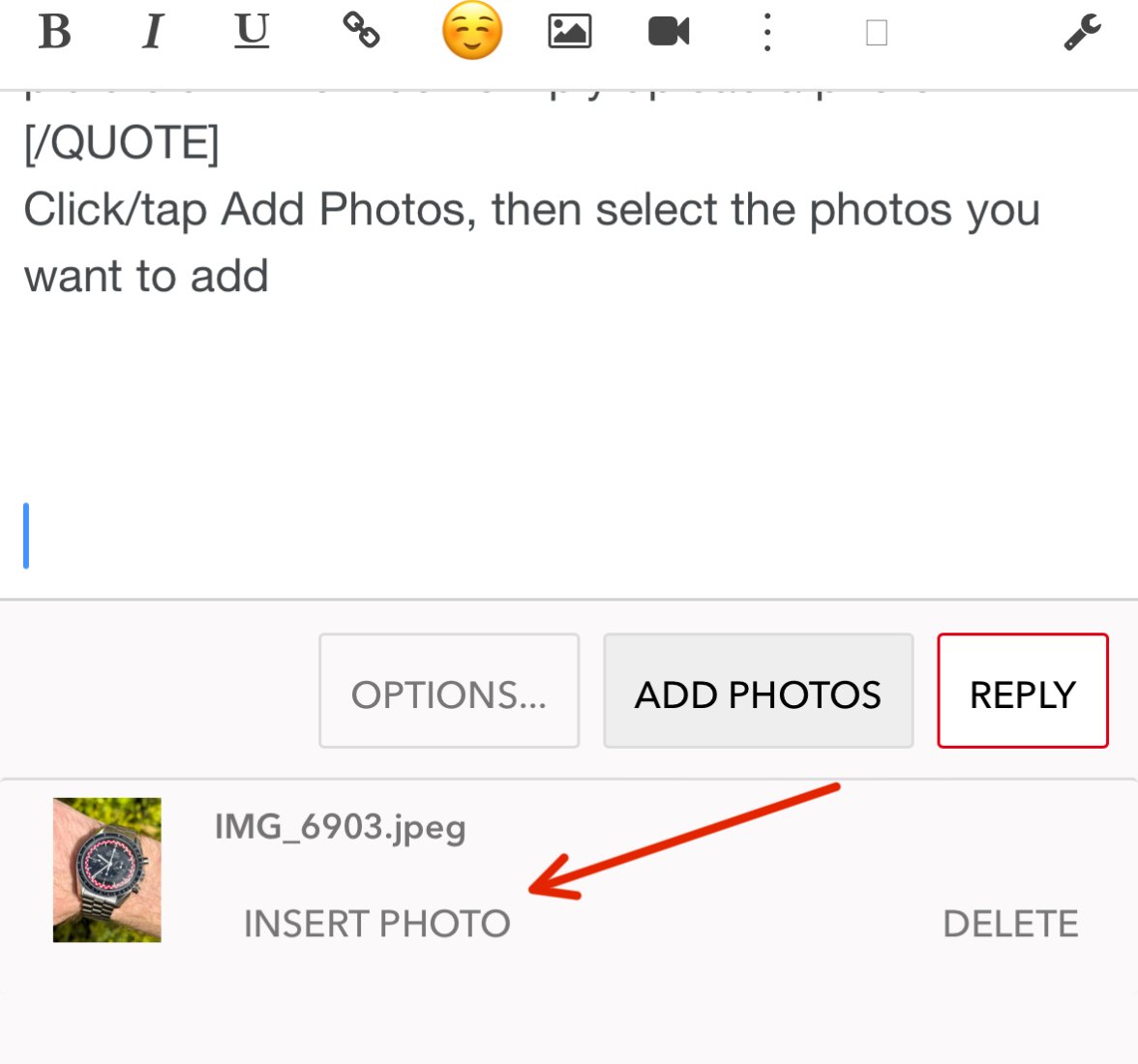
Click/tap Add Photos


Select the photos you want to add, wait for them to load. Then click/tap Insert

 
Posts
3,876
Likes
8,382
Look at you helping newbies now 👍👍

And for you @DJG2645

if you click LATEST withe the red box and a number. Then hit ALERTS underneath it will tell you what those 230 alerts are. ( pretty much if someone has replied to one of your comments/questions or tagged you. 😁

Wow, I've never paid attention to that option.


😲
 
Posts
29,672
Likes
76,831
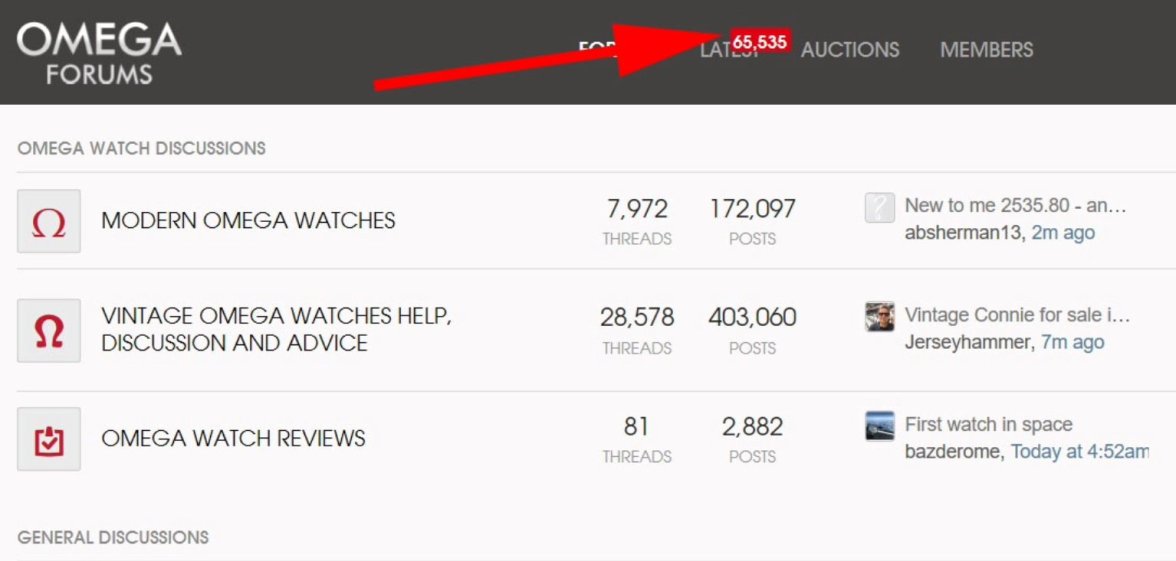
He’s shared the same kind of photo and I swear it was someone around 30k. I have no idea how to search to find the post though.

34,336 right now. But the max is 65,535 as you can see. Once I hit that the first time it stopped counting, so I reset it.