
How do I press on a caseback with the hard-plastic gasket?

Posts
2,030
Likes
2,217
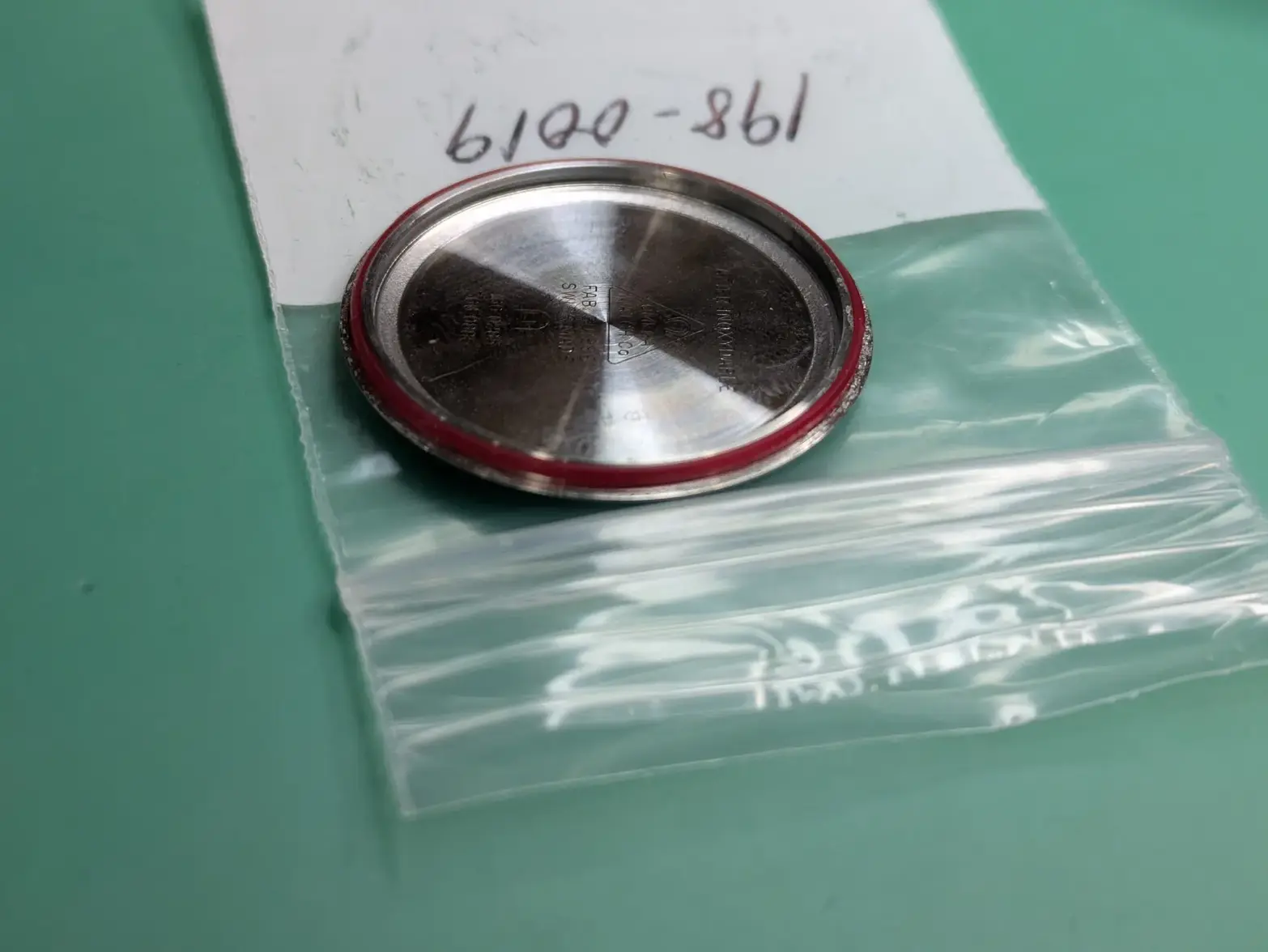
I have my fake-speedmaster that I'm ALMOST done with. I ordered a new gasket and put it on the case back, which is how it came off best I can remember.

My problem is: I can't get it back on the case! No matter if I put the gasket on the caseback or inside the case, it won't click shut. It keeps going off to the side/not going down evenly, even with the press/fingers/etc.

Is there a trick I'm missing?

Also, what should I be 'pressing' against with my press tool on the dial side? The speedmaster-style bezel seems like it could bend, but the crystal I fear will break. What should I do?


 
Posts
2,030
Likes
2,217
Can't delete, but... I figured out not long after this, that one of the sides of the gasket has a angle cut out of it, so with the press and some care, I got it to squeeze on just right!
 
Posts
15,531
Likes
46,112
Your gasket should be replaced. When the case back is removed, IF the gasket remains in place in the case, you’ll likely never get the case back on. That is unless the gasket is removed from the case and fitted on the case back in the same orientation as original. The back with the gasket re-positioned properly should go back on with your fingers.
 
Posts
2,030
Likes
2,217
Your gasket should be replaced. When the case back is removed, IF the gasket remains in place in the case, you’ll likely never get the case back on. That is unless the gasket is removed from the case and fitted on the case back in the same orientation as original. The back with the gasket re-positioned properly should go back on with your fingers.
That is a new gasket actually, I DID order a replacement. I just couldn't get it to press on. I flipped it around and it went on, but it was harder than just with my fingers. The press tool did it though.
 
Posts
29,744
Likes
77,002
Can't delete, but... I figured out not long after this, that one of the sides of the gasket has a angle cut out of it, so with the press and some care, I got it to squeeze on just right!
Yes, look for the bevel and that goes towards the case…
 
Posts
2,030
Likes
2,217
Yes, look for the bevel and that goes towards the case…
I don't know how I missed it, I was looking closely and trying a half dozen times, and couldn't get it, sat down and posted this thread in frustration, and immediately saw the bevel when I went back to poke at it again.

Did posting it here cause the answer to show itself to me? Who knows. Maybe the same power of my workbench of "I ordered the replacement for a lost part, thus the original showed up again".