A tip for those new to the forum

Posts
173
Likes
366
Searching for subjects within the forum has proven a challenge for me. Example: “what makes a Seamaster any different than a ‘regular’ Omega.” using various key words had gotten me nowhere. Ok, maybe I’m slow (not that slow) but this search was getting me nothing. I typed it into Google and BAM! the second choice referred me to the OF with exactly what I needed to know. This has happened a few times. So, if you are having difficulty with your search head right to Google and look for the OF link.

 
Posts
24,261
Likes
54,028
I use google and restrict the search to the omegaforums.net domain, using the "site:" operator. I would give an example, but when you type ":" followed by "o", you get an emoji. 😲
Edited:
 
Posts
5,082
Likes
15,701
I use google and restrict the search to the omegaforums.net domain, using the "site:" operator. I would give an example, but when you type ":" followed by "o", you get an emoji. 😲
Can you post a screenshot of what you use for search terms? I’m not sure I know what a site operator is 🙁
 
Posts
17,942
Likes
37,520
Can you post a screenshot of what you use for search terms? I’m not sure I know what a site operator is 🙁

 
Posts
2,451
Likes
9,934
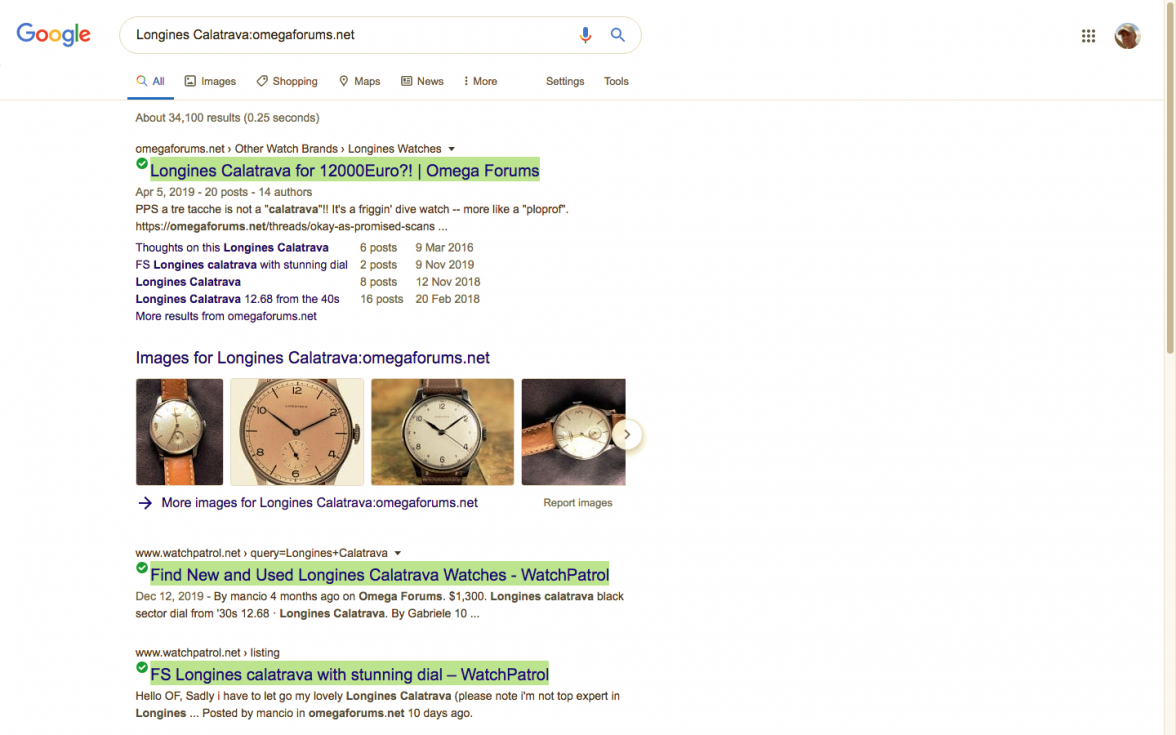
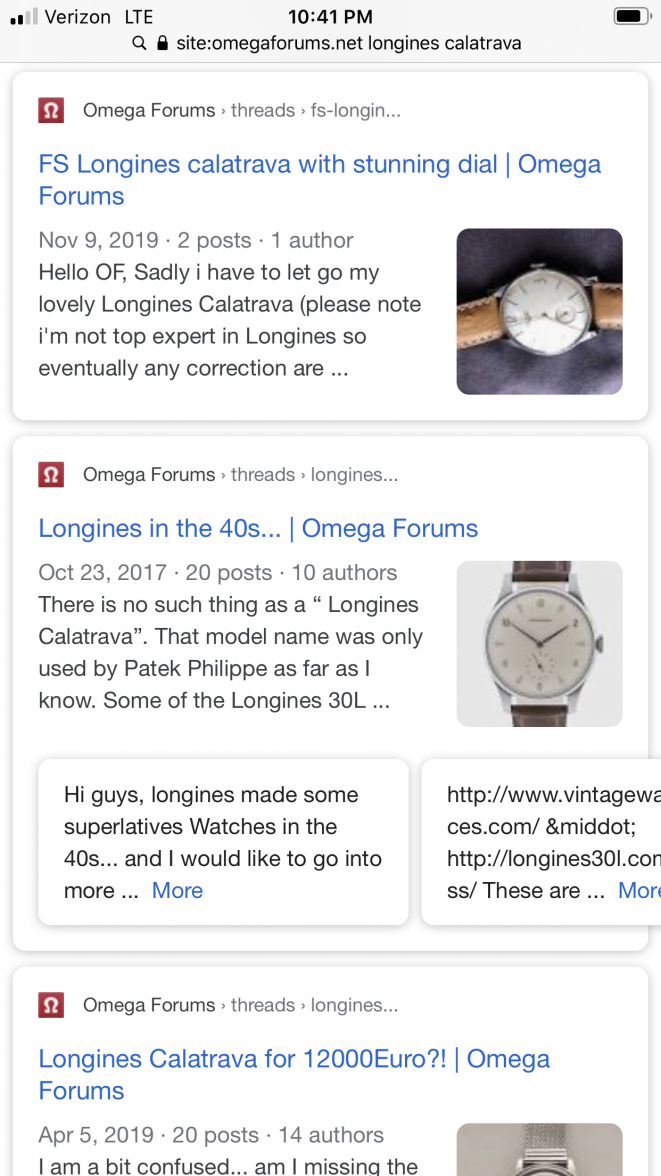
If you arrange it the following way you get search results solely from the site you’re searching
 
Posts
614
Likes
836
I use google and restrict the search to the omegaforums.net domain, using the "site:" operator. I would give an example, but when you type ":" followed by "o", you get an emoji. 😲
site:www.omegaforums.net works as well, and avoids the 😲
 
Posts
419
Likes
185
👍

Great tip. I was having the same problem with the built in search engine. Google does a great job. I wonder if this information should somehow be sticky or in a Welcome to the forums data sheet.
 
Posts
24,261
Likes
54,028
site:www.omegaforums.net works as well, and avoids the 😲

Well done. And hopefully this tip will allow people to more easily access the existing wisdom in the archives and reduce the clutter of redundant new threads. In practice, the "www." can be removed from that search term, saving four keystrokes. 😀

For those who are interested in advanced google search techniques (i.e. refining searches), here is a simple primer.

https://support.google.com/websearch/answer/2466433?hl=en
 
Posts
8,711
Likes
14,617
Well done. And hopefully this tip will allow people to more easily access the existing wisdom in the archives and reduce the clutter of redundant new threads.
You are such a dreamer.
 
Posts
107
Likes
154
You are such a dreamer.
I think it will. Especially looking for dials and case numbers. For example I could t find much about 168.004 case via the forum search function but using this tool on Google I wouldn't have asked because I found what I needed ! It sure helps
 
Posts
8,711
Likes
14,617
I think it will. Especially looking for dials and case numbers. For example I could t find much about 168.004 case via the forum search function but using this tool on Google I wouldn't have asked because I found what I needed ! It sure helps
We know for a fact that a large portion of new members pay no attention to the stickies; why would posting this information there change anything? Maybe I'm too cynical for my own good but I'd be willing to bet that the same questions will continue to be asked, at the same rate.
 
Posts
107
Likes
154
I agree many people don't even read the title (for example the threads for fakes that state "not for questions" full of questions). While this tool might not make a huge difference for the forum but I will make a big one for new members eager and willing to put the time in researching.
 
Posts
521
Likes
410
I agree many people don't even read the title (for example the threads for fakes that state "not for questions" full of questions). While this tool might not make a huge difference for the forum but I will make a big one for new members eager and willing to put the time in researching.
"i just bought this watch, can you tell me if i did ok?"