60s DON bezel - authenticity confirmation?

Posts
9
Likes
2
Hi all,
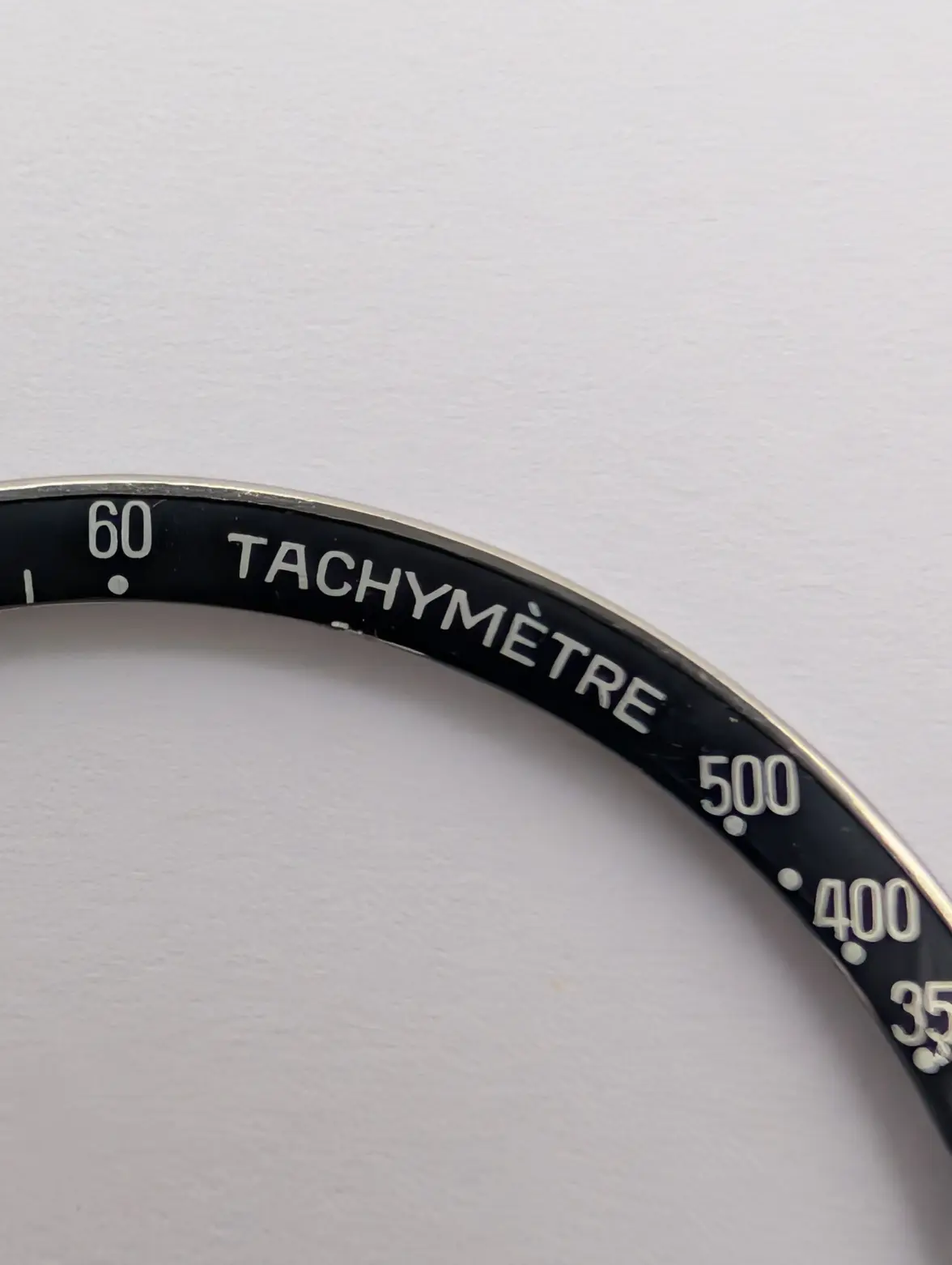
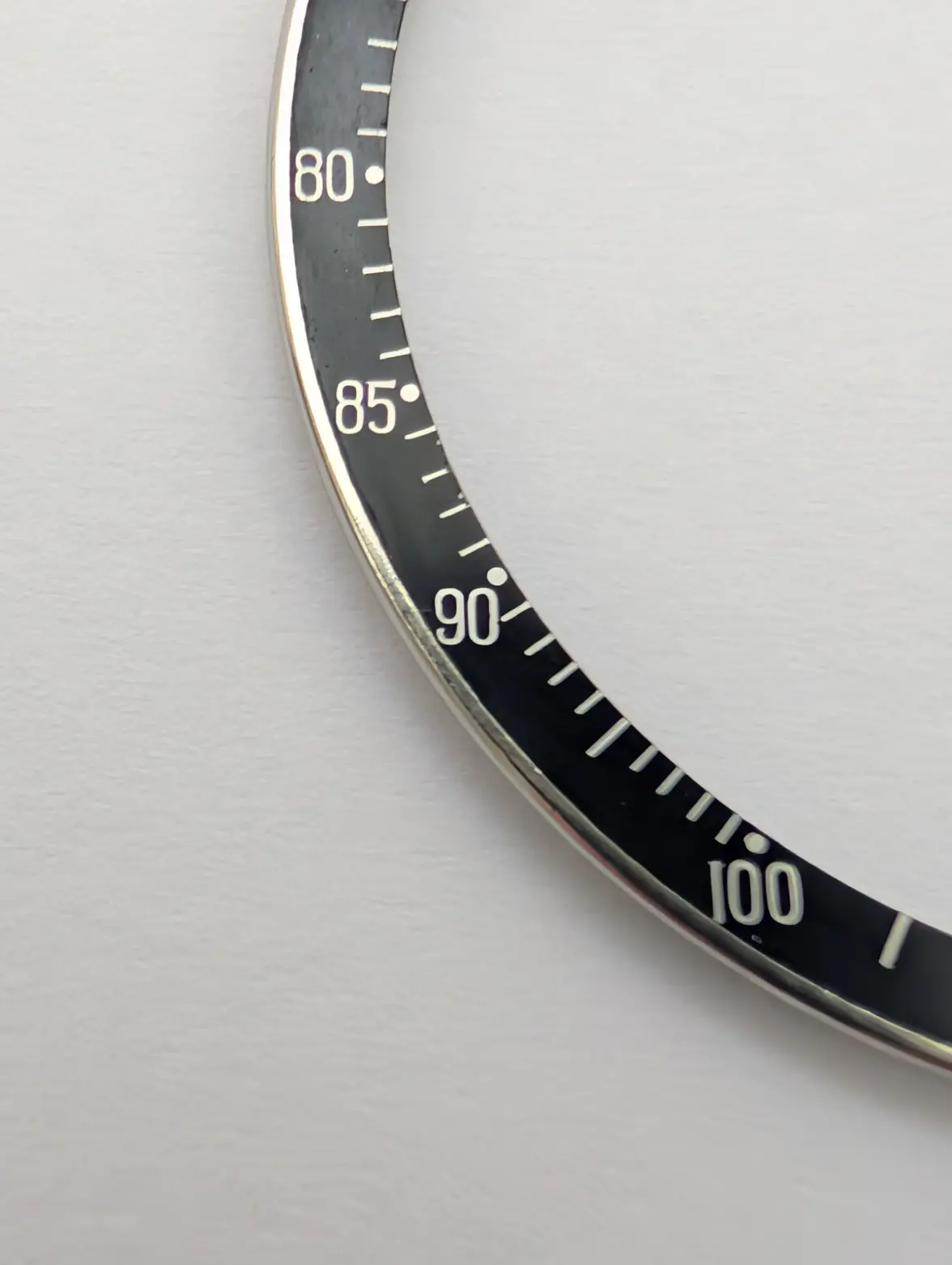
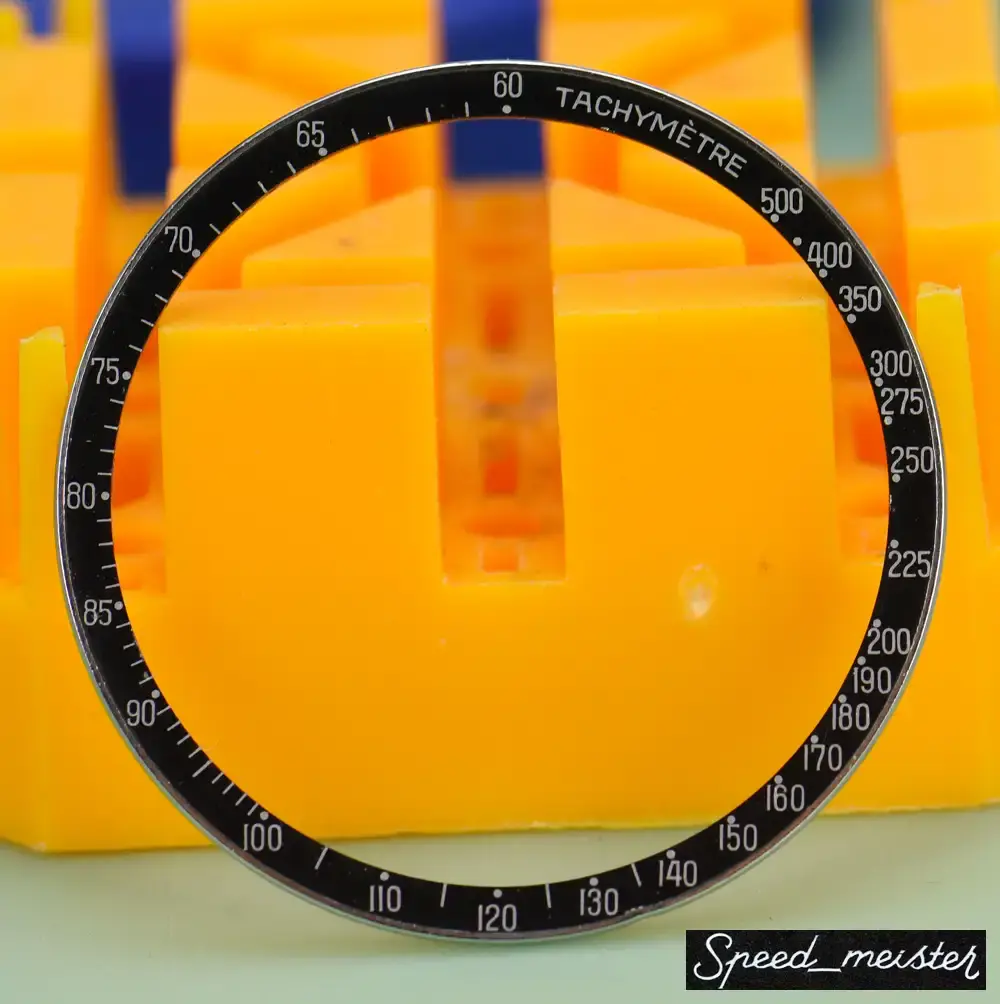
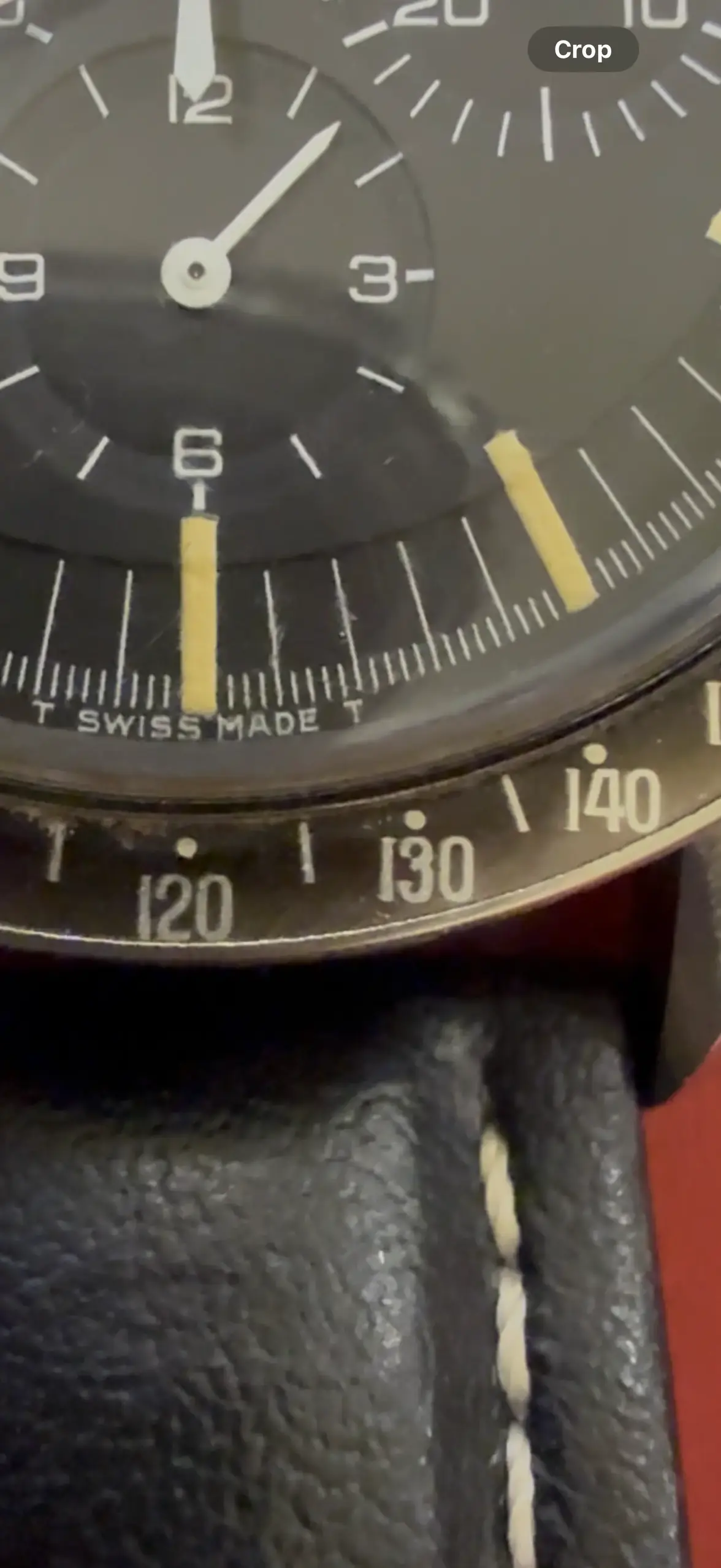
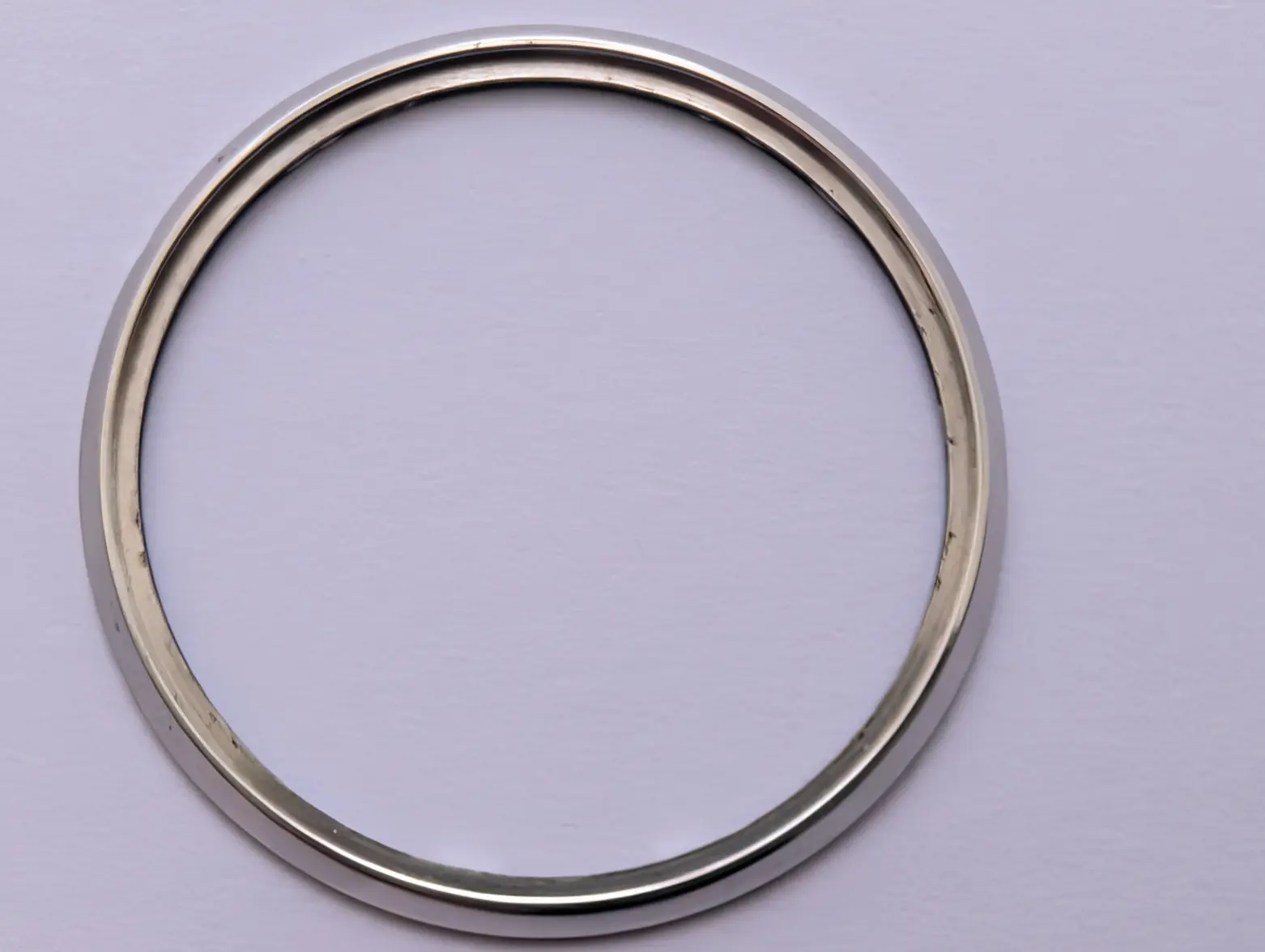
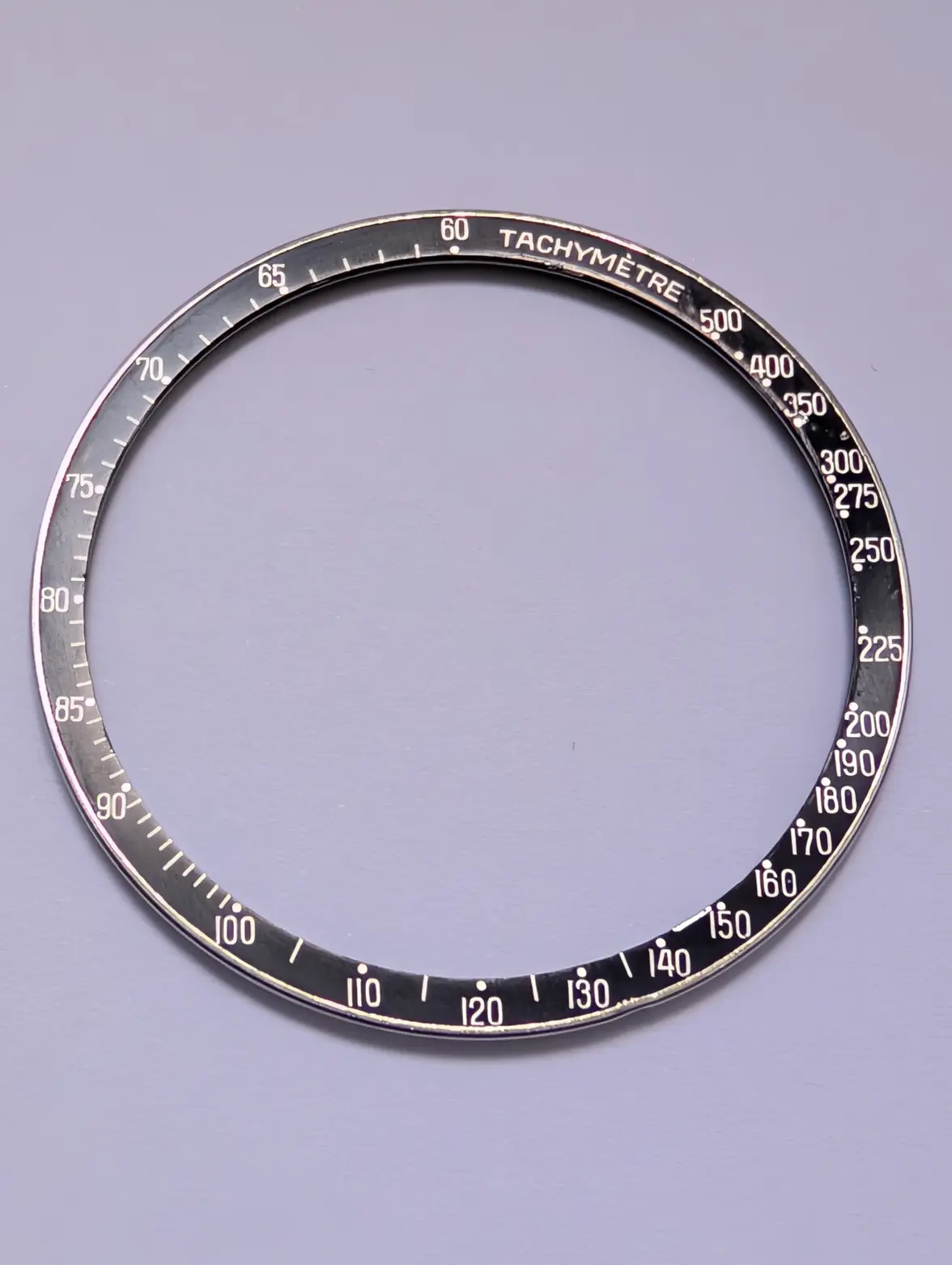
I’d appreciate your thoughts on this DON bezel I’ve had for a few years.

Bought it back in 2018 from speed_meister on eBay. At the time I was considering putting it on my 105.012, but eventually decided to keep the watch as it is.
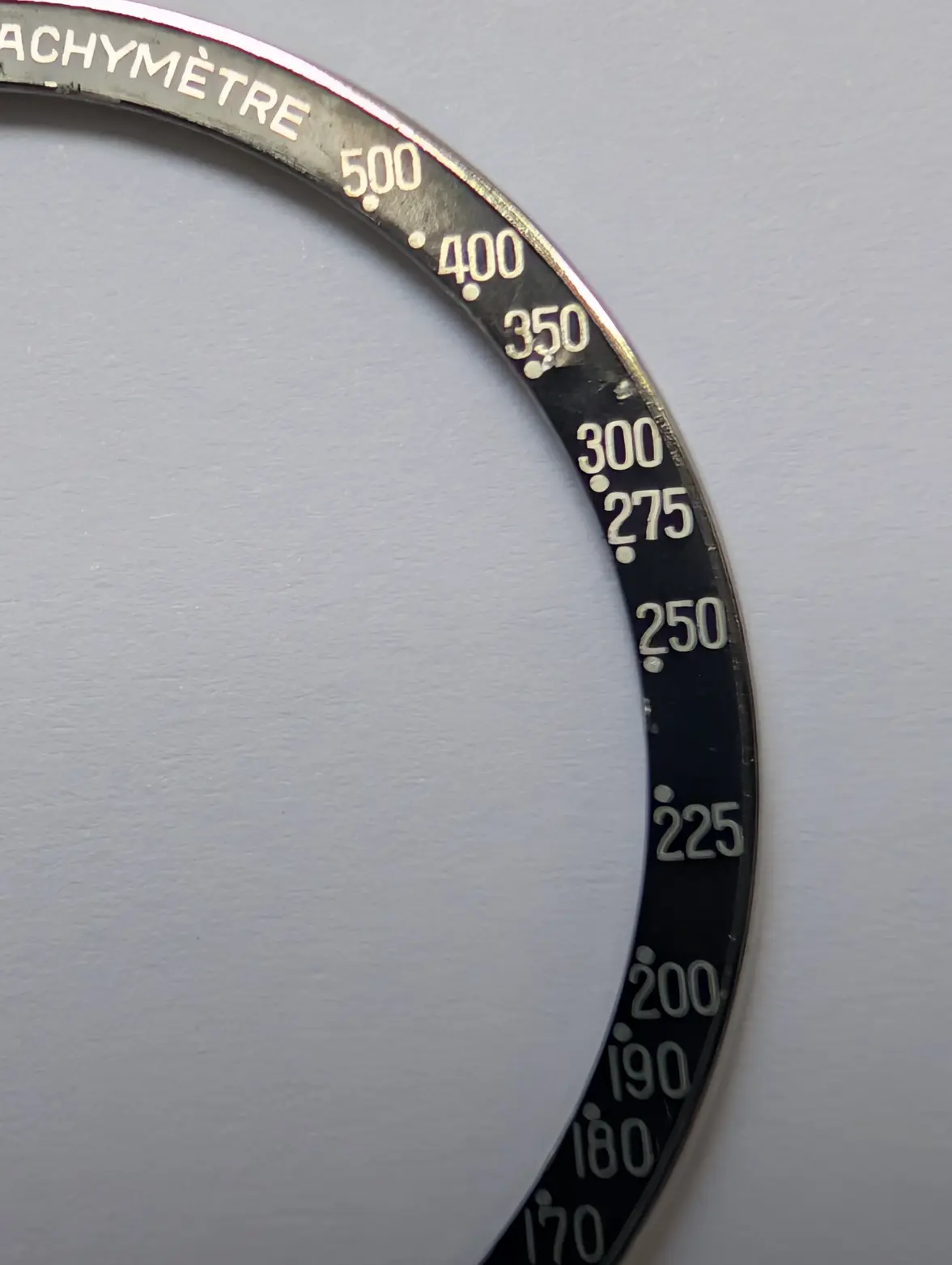
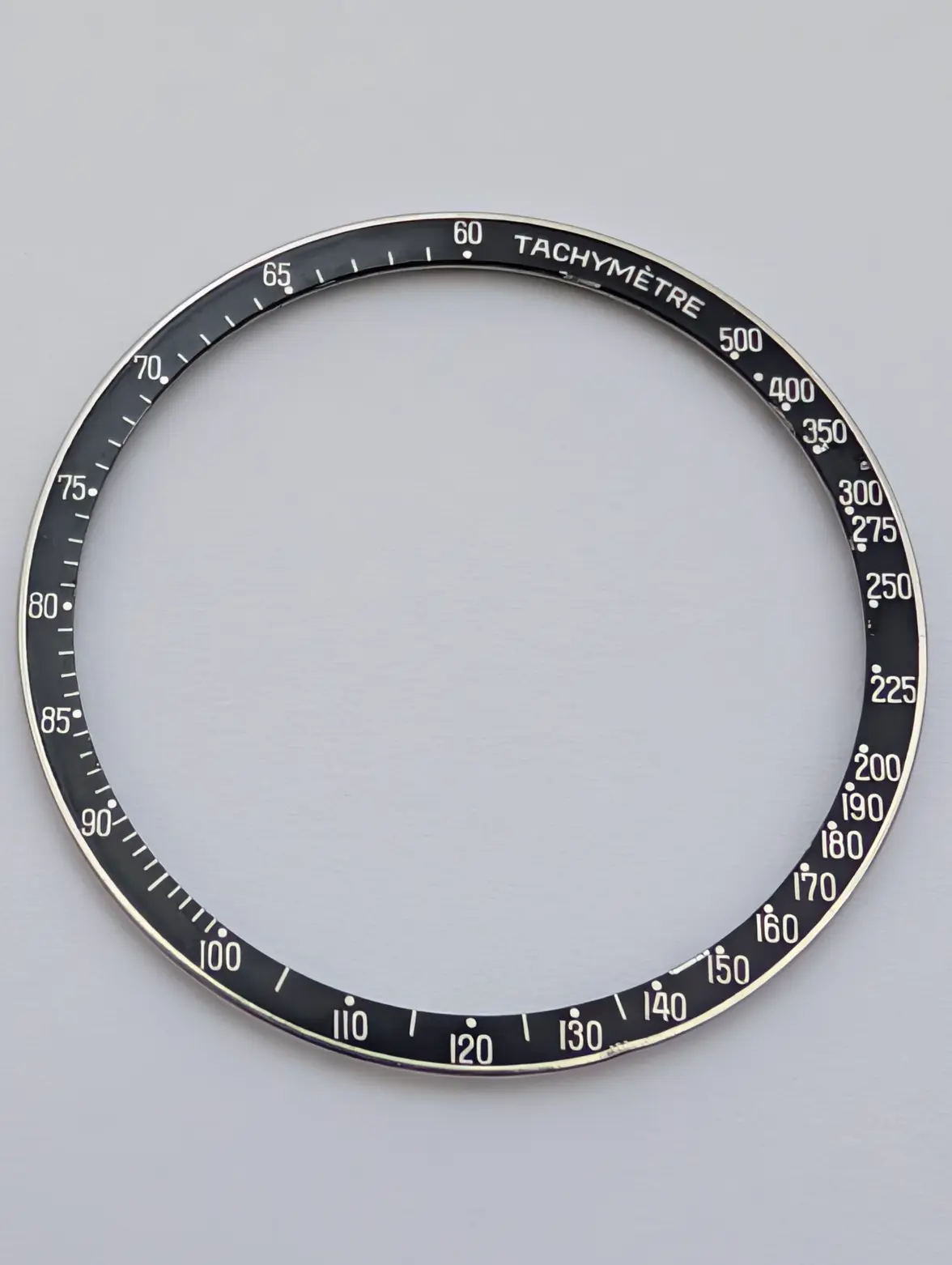
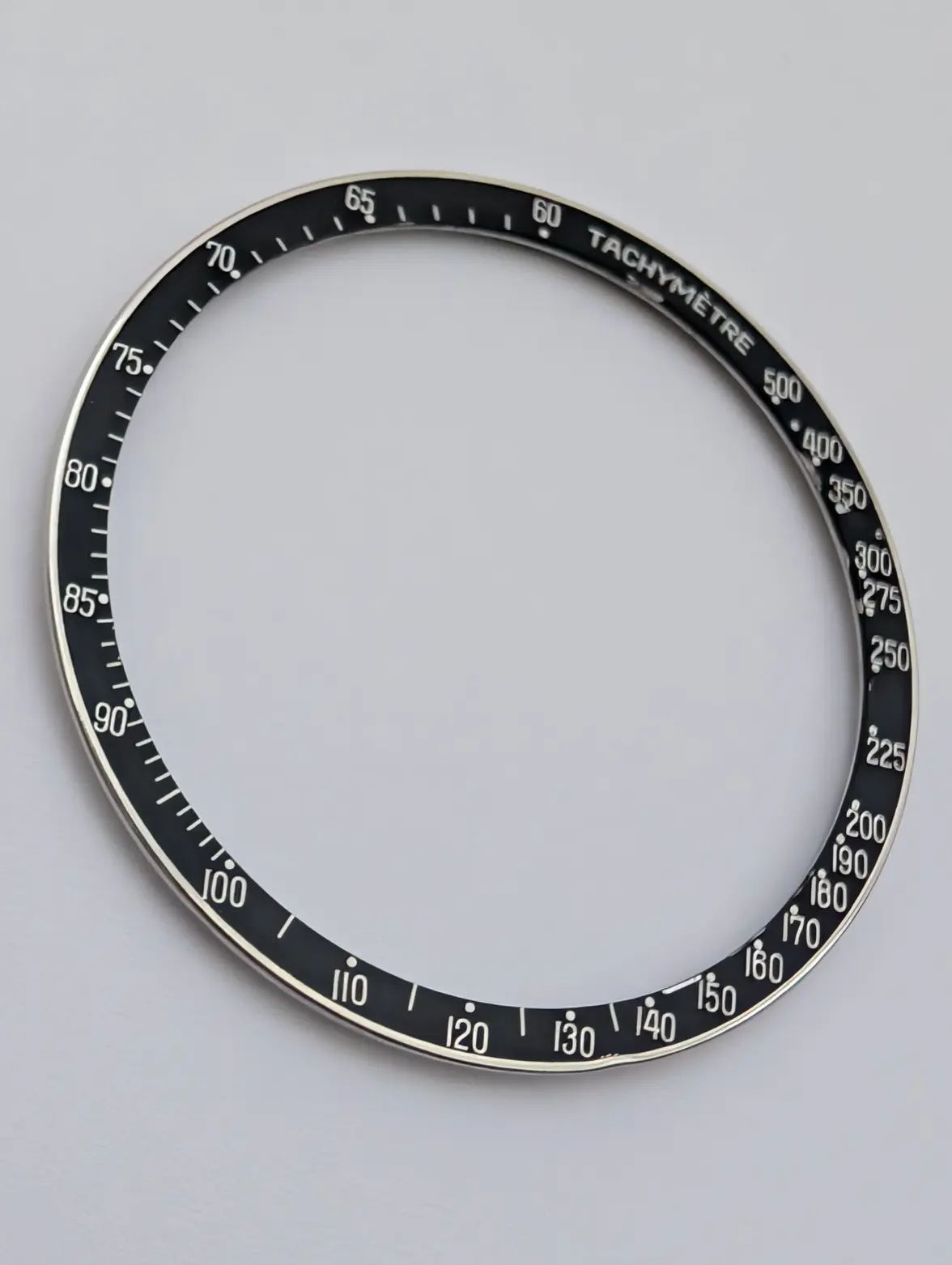
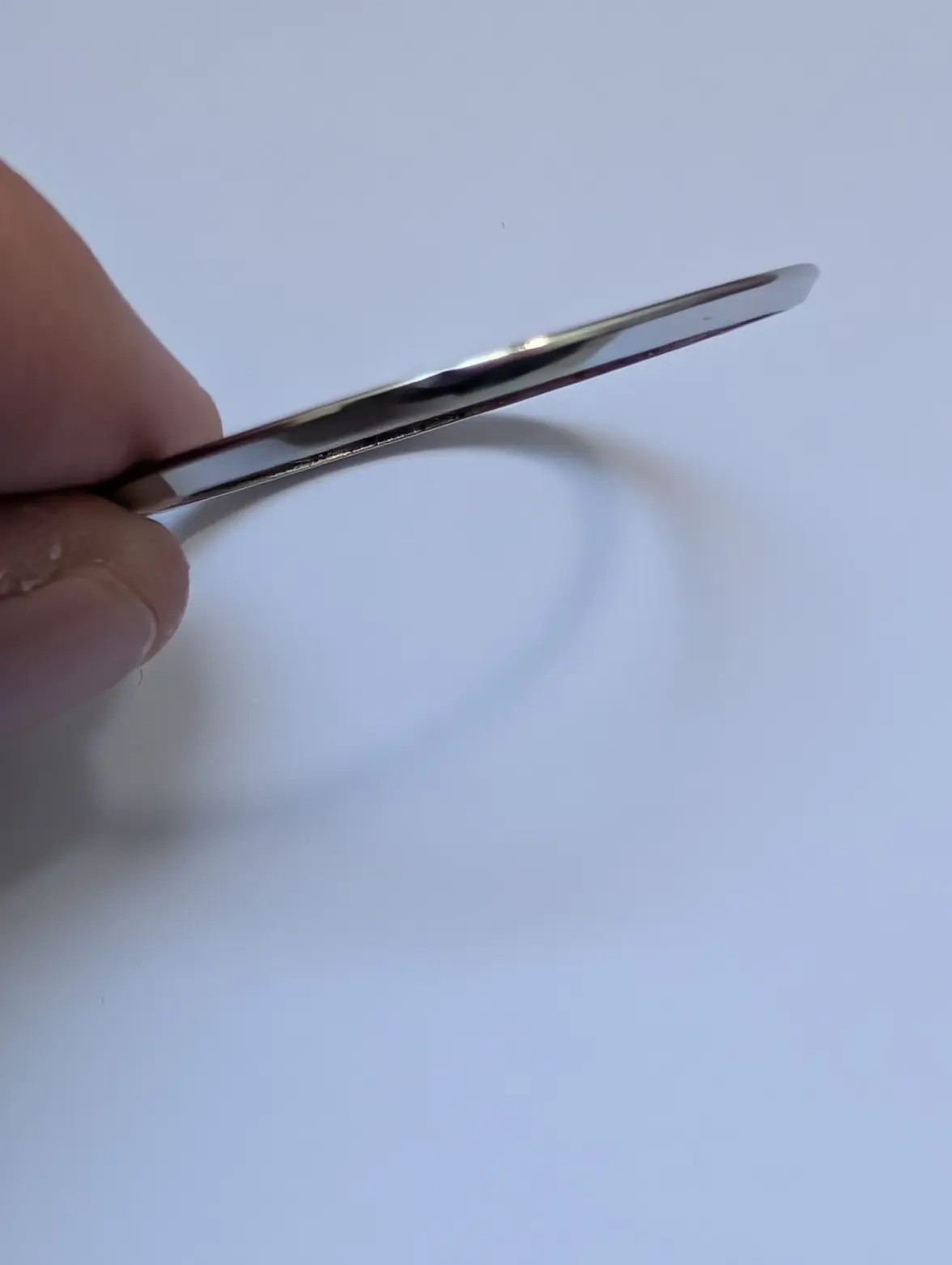
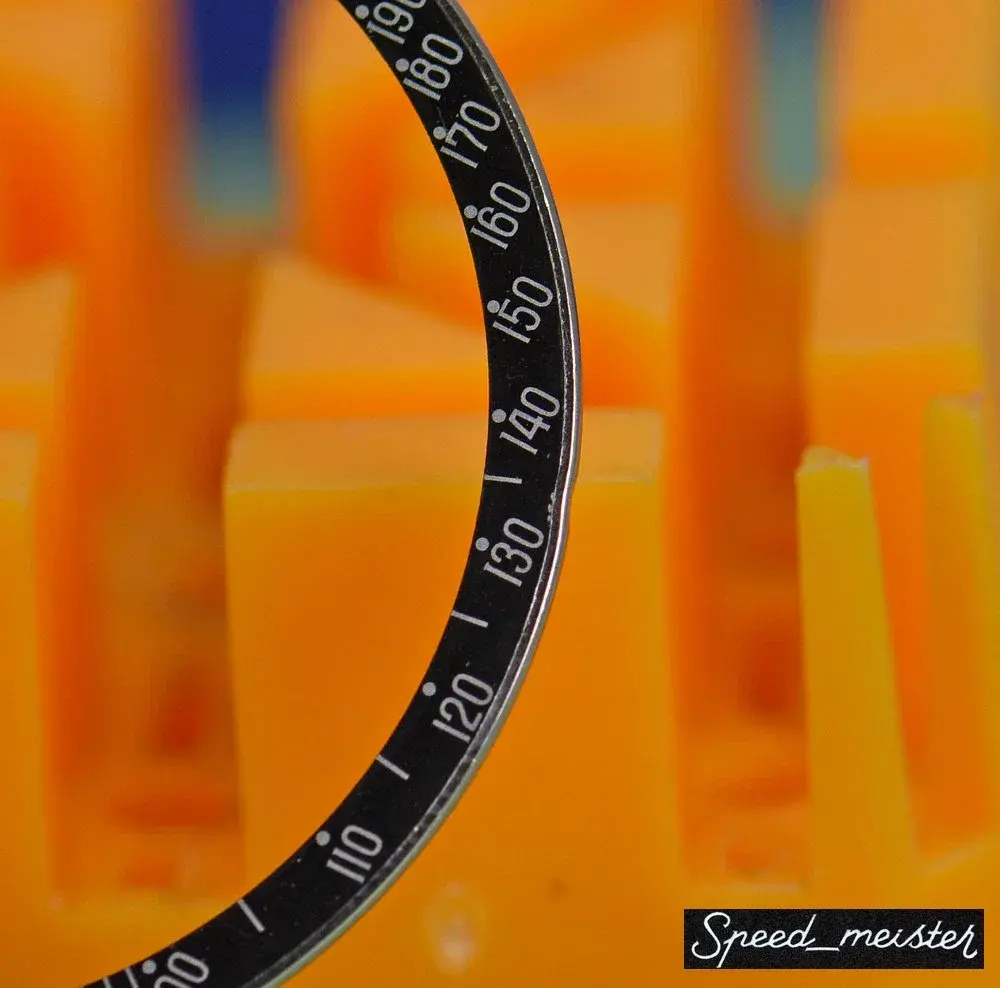
I’ve attached a few detailed photos. It shows normal wear but no cracks or repairs that I can see.
I believe it’s a correct mid-60s DON, but I’d welcome confirmation from more experienced members here.
Also curious how you would assess the overall condition compared to what’s currently on the market, and where these tend to sit value-wise these days.
Not selling at this stage, just looking for informed opinions.
Thanks in advance.
 
Posts
5,071
Likes
15,650
speed_meister is a member here (albeit under a different name) ... and he is quite a knowledgeable member who has added some pretty stellar value to the information found in this most awesome place ... I would be willing to bet his parts sold are good and your bezel is 👍
 
Posts
24,218
Likes
53,916
Looks like a nice bezel. Prices aren't what they were.
 
Posts
1,972
Likes
9,430
I’d love to hear a few more opinions as it looks questionable to me. Maybe the OP can add a nice in-focus close up on the area from 120-150?

I do generally trust speed_meister as well but from the pics I am uncertain.
 
Posts
128
Likes
112
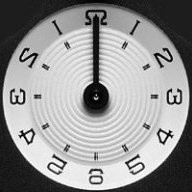
Here is a comparator view of one of my DON bezels, and the one you posted.
The camera angles in the images you shared are not aligned on-axis with the bezel, resulting in noticeable distortion.

Sizeable ding between the 130-140. Could be be photo exposure length but the font is quite thick and sarifs are a bit lost.

 
Posts
370
Likes
260
We do have instances of later thick font DON bezels that are legit, don't we? And if that is the only argument atm against the OP bezel, I would still consider it the genuine articleJust my 2 cents, the real experts will be on the way soon...
 
Posts
128
Likes
112
absolutely! I'm not saying that as an argument against the genuineness of the bezel, only as an observation of this particular bezel. The overall alignment looks pretty good to me.

I create these comparator GIFs to allow people to view it for themselves in a more holistic manner, rather then just looking at specific areas. If you only look at those, you might miss bigger picture stuff, spacing between things, etc...

The comparator animation quality is a function of how "on axis" the source images are to compare to my example. if they are off axis, I need to geometrically distort the image to match and thus not as accurate of a comparison.

We are getting more and more flooded with counterfeit bezels that are increasingly more accurate. And on top of that, many are old enough to have a legit patina to boot. Our ability to be confident in these things becomes harder. Thicker font bezels are a real thing, but they blur a lot of the features we use to feel confident about them. Thinner font bezels contain more of the hallmarks to compare with and boost confidence. But who knows, there may be bezels out there now that are almost perfect reproductions and even will pass a comparator test with two very thin font bezels.

Reminds me of our very own tastes of Man in the high castle and Do androids dream of electric sheep 😀
Edited:
 
Posts
736
Likes
1,663
Here is a comparator view of one of my DON bezels, and the one you posted.
The camera angles in the images you shared are not aligned on-axis with the bezel, resulting in noticeable distortion.

Sizeable ding between the 130-140. Could be be photo exposure length but the font is quite thick and sarifs are a bit lost.

How do you create these comparator images?
 
Posts
9
Likes
2
Hi all,

Thanks very much for your feedback, much appreciated.

I’ll try to take some sharper and straighter shots of the 120–150 area and the other suggested details.
Photography clearly isn’t my strongest skill, but I’ll give it another try.

More to follow soon.

Thanks again.
 
Posts
128
Likes
112
How do you create these comparator images?
You can do it by just using transform tools in Photoshop or Photopea. You need a good reference image that is taken ideally with a long focal length and orthogonal with the plane and axis of the bezel.
Doing so will minimize the amount of geometric transforms you need to perform to get the second bezel to align with the first.
 
Posts
9
Likes
2

In the meantime, while I work on taking new pictures, here is a macro from the original eBay listing when I purchased it in 2018.

It shows the 120–150 area straight on.

The ding around 130 was already present at the time of purchase and is unchanged.

I’ll post updated photos as soon as I can.

 
Posts
9
Likes
2
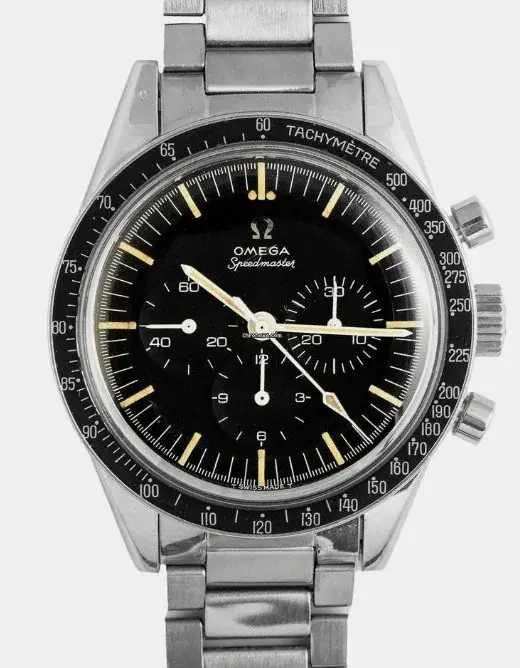
Adding the full straight-on image from the original 2018 listing for overall alignment reference.

 
Posts
130
Likes
140
I don’t see any tells that would lead me to believe it’s not genuine. It’s authentic and in nice condition.

For reference, this is a 105.012-65 I had in my hands recently - this is what I consider a “thick font”. You can also see the serifs on the numbers. I believe this to be authentic as well.

 
Posts
13,190
Likes
22,928
It did look questionable on the first photos but subsequent ones look fine to me.
 
Posts
1,972
Likes
9,430
It did look questionable on the first photos but subsequent ones look fine to me.
agreed
The one from the original listing is fine, the OP photos do look different but if it is indeed that same bezel and just poor resolution/focus, it looks good to me.
 
Posts
736
Likes
1,663
You can do it by just using transform tools in Photoshop or Photopea. You need a good reference image that is taken ideally with a long focal length and orthogonal with the plane and axis of the bezel.
Doing so will minimize the amount of geometric transforms you need to perform to get the second bezel to align with the first.

It would be cool if you could do a comparison between the don from a 145.022-69 and earlier don bezels. According to ChatGPT the later don’s are different with the 2’s and 5’s having a slightly different font and the R on the earlier don’s having a flat top R.

Not sure where it got that info. They look the same to me. The only thing I’ve found is that the ones from 145.022-69 seem to be a darker black.
 
Posts
128
Likes
112
I agree! I have wanted to do a study like that and create an animation that goes through bezels over the years in order and see if such as the screens aging and blurring and when they might have introduced new tooling, etc.
mine reference is from a 145.022-69, and is a good sample but my other DONs from 105.012 and 145.012 are not clean enough to use. I could start another thread and crowd source images from users and align and animate them chronologically 😀
 
Posts
9
Likes
2
Thanks again for all the analysis and time spent on the comparisons. Much appreciated.

I’ve definitely learned a lot from this thread. Looks like I’ll need to work on my photography skills before posting my 105.012 😄
 
Posts
736
Likes
1,663
I agree! I have wanted to do a study like that and create an animation that goes through bezels over the years in order and see if such as the screens aging and blurring and when they might have introduced new tooling, etc.
mine reference is from a 145.022-69, and is a good sample but my other DONs from 105.012 and 145.012 are not clean enough to use. I could start another thread and crowd source images from users and align and animate them chronologically 😀
Interesting, so if your DON is from a 145.022-69 and the OP's bezel is from the mid 60's then we already got the comparison and the fonts are the same. These AI chatbots just make stuff up sometimes.

Here is a 105.003-63. Nice clean shot of the bezel from a straight angle. Maybe you could compare it to your DON in the same way?